Reading view

There are new articles available, click to refresh the page.

EnshittifAIcation

Photo by Ehimetalor Akhere Unuabona on Unsplash

Yesterday morning, first thing after waking up, I checked my emails. One of them was from a client - a sharp person, but not a tech expert - forwarding a message from one of their "digital marketplaces". They claimed that during site crawling, their bot upgrades the connection to HTTP/2, and that this somehow causes issues on their end, so they were asking us to disable HTTP/2 to fix the problem.

I contacted Alex directly - the person (spoiler: not a person) who had sent the email - explaining that if their bot has trouble with HTTP/2 (which, on the contrary, provides significant benefits for the e-commerce experience in question), that's their problem, not ours, and they should fix it. Completely unprompted, I received something unexpected in reply: a guide on how to configure Apache to do what they wanted. The problem? Not only did it completely ignore my stated position, but we don't use Apache - we use nginx. And, I should add, their guide was entirely wrong. I replied pointing all of this out and finally asked to be "escalated to a human, since I was clearly talking to an AI that wasn't understanding any of my responses". The reply was blunt: "That's not possible for this type of issue. Follow our guide or we will suspend your service and your e-commerce visibility." For me, obviously, that's a hard pass. For my client, though, it's a real problem - an intelligent person who understood the situation, but still a problem to solve.


Over the past few months, I've been witnessing a dramatic increase in botnet attacks targeting some of the servers I manage, especially e-commerce ones. These aren't directed at me personally - they also hit servers I manage on behalf of clients. At first I thought they were AI scrapers, but the traffic comes from everywhere, especially from residential connections scattered around the world. I believe these are deliberate disruption campaigns, a side effect of the turbulent geopolitical climate we're living through.

On several of these e-commerce servers, we decided to implement geo-blocking, as I've described previously on this blog. Normally, once you've identified your whitelist countries and the shop isn't a global operation, everything works fine. In other cases, problems arise.

A few days ago, a partner of one of my clients - a company that provides services and needs access to some prepared XML feeds - started complaining they could no longer connect. I asked them for the IP pool they connect from, or at least the country their connections originate from. Their vague reply was: "We can't provide that information because we don't have a fixed IP or set of IPs." They completely ignored the question about the country. I pushed further, but got nowhere - different "people", giving different answers, all wildly off the mark and ignoring what I was actually asking, insisting instead that I whitelist their user agent. I explained, repeatedly, that the block is at the firewall level - meaning I never even see their user agent: if the connection is dropped, there's no handshake, no HTTP headers, nothing. It didn't matter. They kept repeating the same thing without engaging with what I wrote. Eventually they went directly to my client. I'll paste the exact text:

We're having some trouble accessing the site and downloading the XML, as they both currently require a VPN connection. To ensure our Lambda functions can run correctly, could you please:

  • Remove the location-based restrictions for our access;
  • Or, allow the User-Agent "REDACTED" in your firewall/server settings?

Please let us know which option works best for you.

Let's break this down:

  • "Require a VPN connection" - who said anything about a VPN? Pure hallucination.
  • "Remove the location-based restrictions for our access" - they never once answered: which location?
  • "Allow the user agent" - I explained, multiple times, that the block is at the firewall level. The connection is dropped before any handshake occurs. There is no user agent to allow.

This morning, another client writes: "The marketing consultancy wants all the server load graphs to get an idea of where we stand." This is the second time in just a few days I've received a request like this. I send both the graphs and the full specs of the dedicated server in use - average load under 5%. The response was staggering: "The internal team, supported by the most advanced AI, believes your current setup is not adequate for the industry, load, and audience you're targeting, and recommends migrating to a cloud VPS with AT LEAST 8 GB of dedicated RAM to ensure sufficient resources, as the current ones are insufficient."

The current ones? 128 GB of RAM. Two modern CPUs. 48 cores total. If we followed their advice, the site would be down within five minutes - and that's just counting legitimate traffic. My client, unaware of the technical differences, asks me if we can implement what they're suggesting.


The shift was abrupt - not unlike when an intern arrives convinced they already know everything, often with the best of intentions: bringing fresh air into an environment that needs "modernising". But with an intern, you can talk. That same confidence often turns into curiosity, hunger to learn, real experience. I've watched eager interns grow into excellent professionals - people who eventually surpassed me in skill and success, and that felt genuinely satisfying, knowing I'd contributed, at least in part, to their growth. With AI, this is impossible. It doesn't grow, doesn't listen, doesn't update its mental model based on what you write back - and above all, it doesn't know what it doesn't know.

That's why I'd like companies to consider that AI systems are stochastic machines, not experts. They can solve some problems, but there's a limit. There will always be a limit, at least with current technology, and we can't afford to ignore it. The damage risks far outweighing the "savings" generated.


The enormous problem with my work these days is the extreme confidence that certain companies project, replacing humans - even senior ones - with AI, with no right of appeal. The result is monstrous confusion, enormous wasted time for everyone, and a widespread erosion of reliability, all papered over by the AI's unshakeable assertiveness - and by those who believe these systems are the Answer to the Ultimate Question of Life, the Universe, and Everything.

Rewarding confidence over actual competence is a bug humanity has always had. It has produced disasters throughout history, it is producing disasters now, and not only in the tech world.

So I find myself wondering: if they're so convinced that AI is better than senior professionals, why don't they replace the bosses with AI? I'm fairly confident the decisions would be considerably better - and humans would end up exactly where they should be.

Why I Love FreeBSD

Why I Love FreeBSD

When I first laid eyes on the FreeBSD Handbook, back in 2002, I couldn't believe what I was seeing. Six years of Linux, a relationship I've written about elsewhere, across various distributions, had trained me to hunt for documentation in fragments: often incomplete, often outdated, sometimes already stale after barely a year. Here was an operating system that came with a complete, accurate, up-to-date (as much as possible), detailed manual. I was already a convinced believer in Open Source, but I found myself reasoning in very practical terms: if the team behind this OS puts this much care into its documentation, imagine how solid the system itself must be. And so I decided to give it a try. I had a Sony Vaio with no room for a dual boot. I synced everything to a desktop machine with more space, took a breath, and made a decision: I'd install FreeBSD on that laptop and reinstall Linux when the experiment was over.

Spoiler: FreeBSD never left that machine.

At the time I had no idea that this experiment would shape the way I design and run systems for the next twenty years.

I realized almost immediately that GNU/Linux and FreeBSD were so similar they were completely different.

The Unix inspiration was the same, but everything worked differently - and the impression was that FreeBSD was distinctly more mature, less chaotic, more focused. A magnificent cathedral - a form then widely criticized in the circles I moved in - but one that had certain undeniable virtues. Back then I compiled the entire system from source, and I noticed right away that performance was better on that hardware than Linux had ever been. Not only that: Linux would overheat and produce unpredictable results - errors, sudden shutdowns, fans screaming even after compilation finished. My Linux friends continued to insist it was a “hardware problem”, but FreeBSD handled the load far more gracefully. I could read my email in mutt while compiling, something that was practically impossible on Linux, which would slow to a crawl. The fans would settle within seconds of the load ending, and the system felt genuinely more responsive. I never experienced a crash. I was running KDE on all my systems at the time, and the experience on FreeBSD was noticeably superior - more consistent and steady performance, none of the micro-freezes I'd come to accept on Linux, greater overall stability. The one drawback: I compiled everything, including KDE. I was a university student and couldn't leave my laptop in another room - the risk of an "incident" involving one of my flatmates was too real - so I kept it within arm's reach, night after night, fans spinning as KDE and all its applications compiled. At some point I figured out exactly how long the KDE build took, and started using it as a clock: fans running meant it was before four in the morning. Fans silent meant I'd made it past.

The Handbook taught me an enormous amount - more than many of my university courses - including things that had nothing to do with FreeBSD specifically. It taught me the right approach: understand first, act second. The more I read, the more I wanted a printed copy to keep at my desk. So I convinced my parents that I needed a laser printer “for university work”. And the first thing I printed, of course, was the Handbook. That Handbook still contains relevant information today. There have been significant changes over the past twenty-four years, but the foundations are still the same. Many tools still work exactly as they did. Features have been added, but the originals still operate on the same principles. Evolution, not revolution. And when you're building something meant to last, that is - in my view - exactly the right philosophy. Change is good. Innovation is good. On my own machines I've broken and rebuilt things thousands of times. But production environments must be stable and predictable. That, still today, is one of the qualities I value most in every BSD.

Over the years, FreeBSD has served me well. At a certain point it stepped down as my primary desktop - partly because I switched to Mac, partly because of unsupported hardware - but it never stopped being one of my first choices for servers and any serious workload. As I often say: I only have one workstation, and I use it to access hundreds of servers. It's far easier to replace a workstation - I can reconfigure everything in a couple of hours - than to deal with a production server gone sideways, with anxious clients waiting or operations ground to a halt.

FreeBSD has never chased innovation for its own sake. It has never chased hype at the expense of its core purpose. Its motto is "The Power to Serve" - and to do that effectively, efficiently, securely. That is what FreeBSD has been for me.

I love FreeBSD because it has served me for decades without surprises. I love FreeBSD because it innovates while making sure my 2009 servers keep running correctly, requiring only small adjustments at each major update rather than a complete overhaul.

I love FreeBSD because it doesn't rename my network interfaces after a reboot or an upgrade.

And because its jails - around since 2000 - are an effective, efficient, secure, simple, and fully native mechanism: you can manage everything without installing a single external package. I love FreeBSD because ZFS is native, and with it I get native boot environments, which means safe, reversible upgrades. Or, if you're running UFS, you change a single character in fstab and the entire filesystem becomes read-only - cleanly, with no kludges. I love FreeBSD because bhyve is an efficient, lightweight, reliable hypervisor. I love it for its performance, for its features, for everything it has given me.

But I love FreeBSD also - and above all - for its community. Around the BSDs, in general, you find people driven by genuine passion, curiosity, and competence. Over the past twenty years the tech world has attracted many people who appear to be interested in technology. In reality, they are often just looking for something to monetize quickly, even at the cost of destroying it. In the BSD community, that is far less common. At conferences I've had the chance to meet developers in person - to understand their spirit, their skill, and yes, their passion. Not just in the volunteers who contribute for the joy of it, but in those funded by the Foundation as well. And then there are the engineers from companies that rely heavily on FreeBSD - Netflix among them - and they bring the same quality: that engagement, that enthusiasm, that tells you FreeBSD isn't a job for them. It's a pleasure. Which is one of the reasons why every time I attend a BSD conference, I come home even more in love with the project: the vibe of the community, the dedication of the developers, the presence of a Foundation that is strong and effective without being domineering or self-important - which, compared to the foundations of other major Open Source projects, makes it genuinely remarkable. Faces that have been part of this project for over twenty years, and still light up the moment they find their friends and start talking about what they've been working on. That positivity is contagious - and it flows directly into the code, the project, the vision for what comes next. Because that's the heart of it. FreeBSD has always been an operating system written by humans, for humans: built to serve and to be useful, with a consistency, documentation, pragmatism, and craftsmanship that most other projects - particularly mainstream Linux distributions - simply don't have. The Foundation wants to hear from ordinary users. It actively promotes the kind of engagement that brings more people to FreeBSD. Not because big tech companies are pushing to create dependency, but because it believes in the project.

So thank you, FreeBSD, for helping me stay passionate for so many years, for keeping my projects running, for keeping my clients' servers up and my data safe. Thank you, FreeBSD, for never wasting time chasing the trend of the moment, and instead focusing on doing things right. Thank you, FreeBSD, for all the extraordinary people - from across the entire BSD community - you've brought into my life. Friends, not colleagues. Real people. The genuine kind. And when the people running something still believe in it - truly believe in it, after all these years - and the project keeps succeeding, that tells you there is real substance underneath. In the code. In the people. In the community.

FreeBSD doesn't want to be "the best and greatest”. It wants to serve.

The Power to Serve.

Why I (still) love Linux

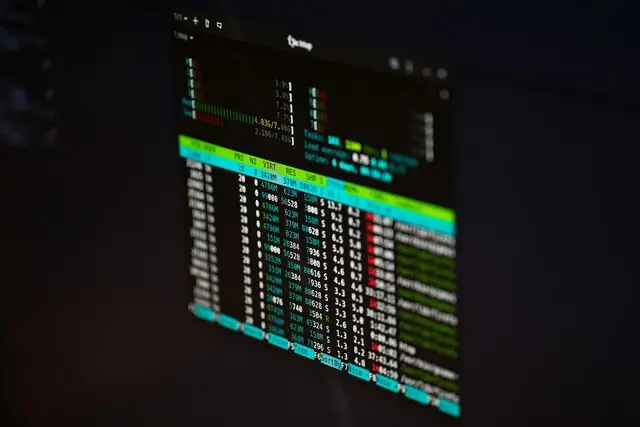
A screen showing htop

I know, this title might come as a surprise to many. Or perhaps, for those who truly know me, it won’t. I am not a fanboy. The BSDs and the illumos distributions generally follow an approach to design and development that aligns more closely with the way I think, not to mention the wonderful communities around them, but that does not mean I do not use and appreciate other solutions. I usually publish articles about how much I love the BSDs or illumos distributions, but today I want to talk about Linux (or, better, GNU/Linux) and why, despite everything, it still holds a place in my heart. This will be the first in a series of articles where I’ll discuss other operating systems.

Where It All Began

I started right here, with GNU/Linux, back in 1996. It was my first real prompt after the Commodore 64 and DOS. It was my first step toward Unix systems, and it was love at first shell. I felt a sense of freedom - a freedom that the operating systems I had known up to that point (few, to be honest) had never given me. It was like a “blank sheet” (or rather, a black one) with a prompt on it. I understood immediately that this prompt, thanks to command chaining, pipes, and all the marvels of Unix and Unix-like systems, would allow me to do anything. And that sense of freedom is what makes me love Unix systems to this day.

I was young, but my intuition was correct. And even though I couldn't afford to keep a full Linux installation on that computer long-term due to hardware limitations, I realized that this would be my future. A year later, a new computer arrived, allowing me to use Linux daily, for everything. And successfully, without missing Windows at all (except for a small partition, strictly for gaming).

When I arrived at university, in 1998, I was one of the few who knew it. One of the few who appreciated it. One of the few who hoped to see a flourishing future for it. Everywhere. Widespread. A dream come true. I was a speaker at Linux Days, I actively participated in translation projects, and I wrote articles for Italian magazines. I was a purist regarding the "GNU/Linux" nomenclature because I felt it was wrong to ignore the GNU part - it was fundamental. Because perhaps the "Year of the Linux Desktop" never arrived, but Linux is now everywhere. On my desktop, without a doubt. But also on my smartphone (Android) and on those of hundreds of millions of people. Just as it is in my car. And in countless devices surrounding us - even if we don’t know it. And this is the true success. Let’s not focus too much on the complaint that "it’s not compatible with my device X". It is your device that is not compatible with Linux, not the other way around. Just like when, many years ago, people complained that their WinModems (modems that offloaded all processing to obscure, closed-source Windows drivers) didn't work on Linux. For "early adopters" like me, this concept has always been present, even though, fortunately, things have improved exponentially.

Linux was what companies accepted most willingly (not totally, but still...): the ongoing lawsuits against the BSDs hampered their spread, and Linux seemed like that "breath of fresh air" the world needed.

Linux and its distributions (especially those untethered from corporations, like Debian, Gentoo, Arch, etc.) allowed us to replicate expensive "commercial" setups at a fraction of the cost. Reliability was good, updating was simple, and there was a certain consistency. Not as marked as that of the BSDs, but sufficient.

The world was ready to accept it, albeit reluctantly. Linus Torvalds, despite his sometimes harsh and undiplomatic tone, carried forward the kernel development with continuity and coherence, making difficult decisions but always in line with the project. The "move fast and break things" model was almost necessary because there was still so much to build. I also remember the era when Linux - speaking of the kernel - was designed almost exclusively for x86. The other architectures, to simplify, worked thanks to a series of adaptations that brought most behavior back to what was expected for x86.

And the distributions, especially the more "arduous" ones to install, taught me a lot. The distro-hopping of the early 2000s made me truly understand partitioning, the boot procedure (Lilo first, then Grub, etc.), and for this, I must mainly thank Gentoo and Arch (and the FreeBSD handbook - but this is for another article). I learned the importance of backups the hard way, and I keep this lesson well in mind today. My Linux desktops ran mainly with Debian (initially), then Gentoo, Arch, and openSUSE (which, at the time, was still called "SUSE Linux"), Manjaro, etc. My old 486sx 25Mhz with 4MB (yes, MB) of RAM, powered by Debian, allowed me to download emails (mutt and fetchmail), news (inn + suck), program in C, and create shell scripts - at the end of the 90s.

When Linux Conquered the World

Then the first Ubuntu was launched, and many things changed. I don't know if it was thanks to Ubuntu or simply because the time was ripe, but attention shifted to Linux on the desktop as well (albeit mainly on the computers of us enthusiasts), and many companies began to contribute actively to the system or distributions.

I am not against the participation of large companies in Open Source. Their contributions can be valuable for the development of Open Source itself, and if companies make money from it, good for them. If this ultimately leads to a more complete and valid Open Source product, then I welcome it! It is precisely thanks to mass adoption that Linux cleared the path for the acceptance of Open Source at all levels. I still remember when, just after graduating, I was told that Linux (and Open Source systems like the BSDs) were "toys for universities". I dare anyone to say that today!

But this must be done correctly: without spoiling the original idea of the project and without hijacking (voluntarily or not) development toward a different model. Toward a different evolution. The use of Open Source must not become a vehicle for a business model that tends to close, trap, or cage the user. Or harm anyone. And if it is oriented toward worsening the product solely for one's own gain, I can only be against it.

What Changed Along the Way

And this is where, unfortunately, I believe things have changed in the Linux world (if not in the kernel itself, at least in many distributions). Innovation used to be disruptive out of necessity. Today, in many cases, disruption happens without purpose, and stability is often sacrificed for changes that do not solve real problems. Sometimes, in the name of improved security or stability, a new, immature, and unstable product is created - effectively worsening the status quo.

To give an example, I am not against systemd on principle, but I consider it a tool distant from the original Unix principles - do one thing and do it well - full of features and functions that, frankly, I often do not need. I don't want systemd managing my containerization. For restarting stopped services? There are monit and supervisor - efficient, effective, and optional. And, I might add: services shouldn't crash; they should handle problems in a non-destructive way. My Raspberry Pi A+ doesn't need systemd, which occupies a huge amount of RAM (and precious clock cycles) for features that will never be useful or necessary on that platform.

But "move fast and break things" has arrived everywhere, and software is often written by gluing together unstable libraries or those laden with system vulnerabilities. Not to mention so-called "vibe coding" - which might give acceptable results at certain levels, but should not be used when security and confidentiality become primary necessities or, at least, without an understanding of what has been written.

We are losing much of the Unix philosophy, and many Linux distributions are now taking the path of distancing themselves from a concept of cross-compatibility ("if it works on Linux, I don't care about other operating systems"), of minimalism, of "do one thing and do it well". And, in my opinion, we are therefore losing many of the hallmarks that have distinguished its behavior over the years.

In my view, this depends on two factors: a development model linked to a concept of "disposable" electronics, applied even to software, and the pressure from some companies to push development where they want, not where the project should go. Therefore, in certain cases, the GPL becomes a double-edged sword: on one hand, it protects the software and ensures that contributions remain available. On the other, it risks creating a situation where the most "influential" player can totally direct development because - unable to close their product - they have an interest in the entire project going in the direction they have predisposed. In these cases, perhaps, BSD licenses actually protect the software itself more effectively. Because companies can take and use without an obligation to contribute. If they do, it is because they want to, as in the virtuous case of Netflix with FreeBSD. And this, while it may remove (sometimes precious) contributions to the operating system, guarantees that the steering wheel remains firmly in the hands of those in charge - whether foundations, groups, or individuals.

And Why I Still Care

And so yes, despite all this, I (still) love Linux.

Because it was the first Open Source project I truly believed in (and which truly succeeded), because it works, and because the entire world has developed around it. Because it is a platform on which tons of distributions have been built (and some, like Alpine Linux, still maintain that sense of minimalism that I consider correct for an operating system). Because it has distributions like openSUSE (and many others) that work immediately and without problems on my laptop (suspension and hibernation included) and on my miniPC, a fantastic tool I use daily. Because hardware support has improved immensely, and it is now rare to find incompatible hardware.

Because it has been my life companion for 30 years and has contributed significantly to putting food on the table and letting me sleep soundly. Because it allowed me to study without spending insane amounts on licenses or manuals. Because it taught me, first, to think outside the box. To be free.

So thank you, GNU/Linux.

Even if your btrfs, after almost 18 years, still eats data in spectacular fashion. Even if you rename my network interfaces after a reboot. Even though, at times, I get the feeling that you’re slowly turning into what you once wanted to defeat.

Even if you are not my first choice for many workloads, I foresee spending a lot of time with you for at least the next 30 years.

Static Web Hosting on the Intel N150: FreeBSD, SmartOS, NetBSD, OpenBSD and Linux Compared

A server rack with some servers and cables

Update: This post has been updated to include Docker benchmarks and a comparison of container overhead versus FreeBSD Jails and illumos Zones.

Note: Some operating systems (FreeBSD and Linux) support kernel TLS (kTLS) and the related SSL_sendfile path in nginx, which can improve HTTPS performance for static files. Since this feature is not available on all the systems included in the comparison (for example NetBSD, OpenBSD and illumos), the benchmarks were run with a common baseline configuration that does not rely on kTLS. The goal is to compare the systems under similar conditions rather than to measure OS specific optimizations.

I often get very specific infrastructure requests from clients. Most of the time it is some form of hosting. My job is usually to suggest and implement the setup that fits their goals, skills and long term plans.

If there are competent technicians on the other side, and they are willing to learn or already comfortable with Unix style systems, my first choices are usually one of the BSDs or an illumos distribution. If they need a control panel, or they already have a lot of experience with a particular stack that will clearly help them, I will happily use Linux and it usually delivers solid, reliable results.

Every now and then someone asks the question I like the least:

“But how does it perform compared to X or Y?”

I have never been a big fan of benchmarks. At best they capture a very specific workload on a very specific setup. They are almost never a perfect reflection of what will happen in the real world.

For example, I discovered that idle bhyve VMs seem to use fewer resources when the host is illumos than when the host is FreeBSD. It looks strange at first sight, but the illumos people are clearly working very hard on this, and the result is a very capable and efficient platform.

Despite my skepticism, from time to time I enjoy running some comparative tests. I already did it with Proxmox KVM versus FreeBSD bhyve, and I also compared Jails, Zones, bhyve and KVM on the same Intel N150 box. That led to the FreeBSD vs SmartOS article where I focused on CPU and memory performance on this small mini PC.

This time I wanted to do something simpler, but also closer to what I see every day: static web hosting.

Instead of synthetic CPU or I/O tests, I wanted to measure how different operating systems behave when they serve a small static site with nginx, both over HTTP and HTTPS.

This is not meant to be a super rigorous benchmark. I used the default nginx packages, almost default configuration, and did not tune any OS specific kernel settings. In my experience, careful tuning of kernel and network parameters can easily move numbers by several tens of percentage points. The problem is that very few people actually spend time chasing such optimizations. Much more often, once a limit is reached, someone yells “we need mooooar powaaaar” while the real fix would be to tune the existing stack a bit.

So the question I want to answer here is more modest and more practical:

With default nginx and a small static site, how much does the choice of host OS really matter on this Intel N150 mini PC?

Spoiler: less than people think, at least for plain HTTP. Things get more interesting once TLS enters the picture.


Disclaimer
These benchmarks are a snapshot of my specific hardware, network and configuration. They are useful to compare relative behavior on this setup. They are not a universal ranking of operating systems. Different CPUs, NICs, crypto extensions, kernel versions or nginx builds can completely change the picture.


Test setup

The hardware is the same Intel N150 mini PC I used in my previous tests: a small, low power box that still has enough cores to be interesting for lab and small production workloads.

On it, I installed several operating systems and environments, always on the bare metal, not nested inside each other. On each OS I installed nginx from the official packages.

Software under test

On the host:

SmartOS, with:
- a Debian 12 LX zone
- an Alpine Linux 3.22 LX zone
- a native SmartOS zone

FreeBSD 14.3-RELEASE:
- nginx running inside a native jail

OpenBSD 7.8:
- nginx on the host

NetBSD 10.1:
- nginx on the host

Debian 13.2:
- nginx on the host

Alpine Linux 3.22:
- nginx on the host
- Docker: Debian 13 container running on the Alpine host (ports mapped)

I also tried to include DragonFlyBSD, but the NIC in this box is not supported. Using a different NIC just for one OS would have made the comparison meaningless, so I excluded it.

nginx configuration

In all environments:

  • nginx was installed from the system packages
  • worker_processes was set to auto
  • the web root contained the same static content

The important part is that I used exactly the same nginx.conf file for all operating systems and all combinations in this article. I copied the same configuration file verbatim to every host, jail and zone. The only changes were the IP address and file paths where needed, for example for the TLS certificate and key.

The static content was a default build of the example site generated by BSSG, my Bash static site generator. The web root was the same logical structure on every OS and container type.

There is no OS specific tuning in the configuration and no kernel level tweaks. This is very close to a “package install plus minimal config” situation.

TLS configuration

For HTTPS I used a very simple configuration, identical on every host.

Self signed certificate created with:

openssl req -x509 -newkey rsa:4096 -nodes -keyout server.key -out server.crt -days 365 -subj "/CN=localhost"  

Example nginx server block for HTTPS (simplified):

server {  
listen 443 ssl http2;  
listen [::]:443 ssl http2;  

server_name _;  

ssl_certificate /etc/nginx/ssl/server.crt;  
ssl_certificate_key /etc/nginx/ssl/server.key;  

root /var/www/html;  
index index.html index.htm;  

location / {  
try_files $uri $uri/ =404;  
}  
}  

The HTTP virtual host is also the same everywhere, with the root pointing to the BSSG example site.

Load generator

The tests were run from my workstation on the same LAN:

  • client host: a mini PC machine connected at 2.5 Gbit/s
  • switch: 2.5 Gbit/s
  • test tool: wrk

For each target host I ran:

  • wrk -t4 -c50 -d10s http://IP
  • wrk -t4 -c10 -d10s http://IP
  • wrk -t4 -c50 -d10s https://IP
  • wrk -t4 -c10 -d10s https://IP

Each scenario was executed multiple times to reduce noise; the numbers below are medians (or very close to them) from the runs.

The contenders

To keep things readable, I will refer to each setup as follows:

  • SmartOS Debian LX → SmartOS host, Debian 12 LX zone
  • SmartOS Alpine LX → SmartOS host, Alpine 3.22 LX zone
  • SmartOS Native → SmartOS host, native zone
  • FreeBSD Jail → FreeBSD 14.3-RELEASE, nginx in a jail
  • OpenBSD Host → OpenBSD 7.8, nginx on the host
  • NetBSD Host → NetBSD 10.1, nginx on the host
  • Debian Host → Debian 13.2, nginx on the host
  • Alpine Host → Alpine 3.22, nginx on the host
  • Docker Container → Alpine host, Debian 13 Docker container

Everything uses the same nginx configuration file and the same static site.

Static HTTP results

Let us start with plain HTTP, since this removes TLS from the picture and focuses on the kernel, network stack and nginx itself.

HTTP, 4 threads, 50 concurrent connections

Approximate median wrk results:

Environment HTTP 50 connections
SmartOS Debian LX ~46.2 k
SmartOS Alpine LX ~49.2 k
SmartOS Native ~63.7 k
FreeBSD Jail ~63.9 k
OpenBSD Host ~64.1 k
NetBSD Host ~64.0 k
Debian Host ~63.8 k
Alpine Host ~63.9 k
Docker Container ~63.7 k

Two things stand out:

  1. All the native or jail/container setups on the hosts that are not LX zones cluster around 63 to 64k requests per second.
  2. The two SmartOS LX zones sit slightly lower, in the 46 to 49k range, which is still very respectable for this hardware.

In other words, as long as you are on the host or in something very close to it (FreeBSD jail, SmartOS native zone, NetBSD, OpenBSD, Linux on bare metal), static HTTP on nginx will happily max out around 64k requests per second with this small Intel N150 CPU.

The Debian and Alpine LX zones on SmartOS are a bit slower, but not dramatically so. They still deliver close to 50k requests per second and, in a real world scenario, you would probably saturate the network or the client long before hitting those numbers.

HTTP, 4 threads, 10 concurrent connections

With fewer concurrent connections, absolute throughput drops, but the relative picture is similar:

  • SmartOS Native around 44k
  • NetBSD and Alpine Host around 34 to 35k
  • FreeBSD, Debian, OpenBSD around 31 to 33k
  • The Docker Container sits slightly lower at ~30.2k req/s, showing a small overhead from the networking layer
  • The SmartOS LX zones sit slightly below, around 35 to 37k req/s

The important conclusion is simple:

For plain HTTP static hosting, once nginx is installed and correctly configured, the choice between these operating systems makes very little difference on this hardware. Zones and jails add negligible overhead, LX zones add a small one.

If you are only serving static content over HTTP, your choice of OS should be driven by other factors: ecosystem, tooling, update strategy, your own expertise and preference.

Static HTTPS results

TLS is where things start to diverge more clearly and where CPU utilization becomes interesting.

HTTPS, 4 threads, 50 concurrent connections

Approximate medians:

Environment HTTPS 50 connections CPU notes at 50 HTTPS connections
SmartOS Debian LX ~51.4 k CPU saturated
SmartOS Alpine LX ~40.4 k CPU saturated
SmartOS Native ~52.8 k CPU saturated
FreeBSD Jail ~62.9 k around 60% CPU idle
OpenBSD Host ~39.7 k CPU saturated
NetBSD Host ~40.4 k CPU saturated
Debian Host ~62.8 k about 20% CPU idle
Alpine Host ~62.4 k small idle headroom, around 7% idle
Docker Container ~62.7 k CPU saturated

These numbers tell a more nuanced story.

  1. FreeBSD, Debian and Alpine on bare metal form a “fast TLS” group.
    All three sit around 62 to 63k requests per second with 50 concurrent HTTPS connections.

  2. FreeBSD does this while using significantly less CPU.
    During the HTTPS tests with 50 connections, the FreeBSD host still had around 60% CPU idle. It is the platform that handled TLS load most comfortably in terms of CPU headroom.

  3. Debian and Alpine are close in throughput, but push the CPU harder.
    Debian still had some idle time left, Alpine even less. In practice, all three are excellent here, but FreeBSD gives you more room before you hit the wall.

  4. SmartOS, NetBSD and OpenBSD form a “good but heavier” TLS group.
    Their HTTPS throughput is in the 40 to 52k req/s range and they reach full CPU usage at 50 concurrent connections. OpenBSD and NetBSD stabilize around 39 to 40k req/s. SmartOS native and the Debian LX zone manage slightly better (around 51 to 53k) but still with the CPU pegged.

HTTPS, 4 threads, 10 concurrent connections

With lower concurrency:

  • FreeBSD, Debian and Alpine still sit in roughly the 29 to 31k req/s range
  • SmartOS Native and LX zones are in the mid to high 30k range
  • The Docker Container drops slightly to ~27.8k req/s
  • NetBSD and OpenBSD sit around 26 to 27k req/s

The relative pattern is the same: for this TLS workload, FreeBSD and modern Linux distributions on bare metal appear to make better use of the cryptographic capabilities of the CPU, delivering higher throughput or more headroom or both.

What TLS seems to highlight

The HTTPS tests point to something that is not about nginx itself, but about the TLS stack and how well it can exploit the hardware.

On this Intel N150, my feeling is:

  • FreeBSD, with the userland and crypto stack I am running, is very efficient at TLS here. It delivers the highest throughput while keeping plenty of CPU in reserve.
  • Debian and Alpine, with their recent kernels and libraries, are also strong performers, close to FreeBSD in throughput, but with less idle CPU.
  • NetBSD, OpenBSD and SmartOS (native and LX) are still perfectly capable of serving a lot of HTTPS traffic, but they have to work harder to keep up and they hit 100% CPU much earlier.

This matches what I see in day to day operations: TLS performance is often less about “nginx vs something else” and more about the combination of:

  • the TLS library version and configuration
  • how well the OS uses the CPU crypto instructions
  • kernel level details in the network and crypto paths

I suspect the differences here are mostly due to how each system combines its TLS stack (OpenSSL, LibreSSL and friends), its kernel and its hardware acceleration support. It would take a deeper dive into profiling and configuration knobs to attribute the gaps precisely.

In any case, on this specific mini PC, if I had to pick a platform to handle a large amount of HTTPS static traffic, FreeBSD, Debian and Alpine would be my first candidates, in that order.

Zones, jails, containers and Docker: overhead in practice

Another interesting part of the story is the overhead introduced by different isolation technologies.

From these tests and the previous virtualization article on the same N150 machine, the picture is consistent:

  • FreeBSD jails behave almost like bare metal and are significantly more efficient than Docker.
    For both HTTP and HTTPS, running nginx in a jail on FreeBSD 14.3-RELEASE produces numbers practically identical to native hosts.
    The contrast with Docker is striking: while the Docker container required 100% CPU to reach peak for the HTTP and HTTPS throughput, the FreeBSD jail delivered the same speed with ~60% of the CPU sitting idle. In terms of performance cost per request, Jails are drastically cheaper.

  • SmartOS native zones are also very close to the metal.
    Static HTTP performance reaches the same 64k req/s region and HTTPS is only slightly behind the "fast TLS" group, although with higher CPU usage.

  • SmartOS LX zones introduce a noticeable but modest overhead.
    Both Debian and Alpine LX zones on SmartOS perform slightly worse than the native zone or FreeBSD jails. For static HTTP they are still very fast. For HTTPS the Debian LX zone remains competitive but costs more CPU, while the Alpine LX zone is slower.

  • Docker on Linux performs efficiently but eats the margins. I ran an additional test using a Debian 13 Docker container running on the Alpine Linux host. At peak load (50 connections), the throughput was impressive and virtually identical to bare metal: ~63.7k req/s for HTTP and ~62.7k req/s for HTTPS. However, there is a clear cost. First, while the bare metal host maintained a small CPU buffer (~7% idle) during the HTTPS test, Docker saturated the CPU to 100%. Second, at lower concurrency (10 connections), the overhead became visible. The Docker container scored ~30.2k req/s for HTTP and ~27.8k req/s for HTTPS, slightly trailing the ~31-34k and ~29-31k range of the bare metal counterparts. The abstraction layers (NAT, bridging, namespaces) are extremely efficient, but they are not completely free.

This leads to a clear conclusion on efficiency: FreeBSD Jails provide the highest throughput with the lowest CPU cost. LX zones and Docker containers can match the speed (or come close), but they burn significantly more CPU cycles to do so.

What this means for real workloads

It is easy to get lost in tables and percentages, so let us go back to the initial question.

A client wants static hosting.
Does the choice between FreeBSD, SmartOS, NetBSD or Linux matter in terms of performance?

For plain HTTP on this hardware, with nginx and the same configuration:

  • Not really.
    All the native hosts and FreeBSD jails deliver roughly the same maximum throughput, in the 63 to 64k req/s range. SmartOS LX zones are slightly slower but still strong.

For HTTPS:

  • Yes, it starts to matter a bit more.
  • FreeBSD stands out for how relaxed the CPU is under high TLS load.
  • Debian and Alpine are very close in throughput, with more CPU used but still with some headroom.
  • SmartOS, NetBSD and OpenBSD can still push a lot of HTTPS traffic, but they reach 100% CPU earlier and stabilize at lower request rates.

Does this mean you should always choose FreeBSD or Debian or Alpine for static HTTPS hosting?

Not necessarily.

In real deployments, the bottleneck is rarely the TLS performance of a single node serving a small static site. Network throughput, storage, logging, reverse proxies, CDNs and application layers all play a role.

However, knowing that FreeBSD and current Linux distributions can squeeze more out of a small CPU under TLS is useful when you are:

  • sizing hardware for small VPS nodes that must serve many HTTPS requests
  • planning to consolidate multiple services on a low power box
  • deciding whether you can afford to keep some CPU aside for other tasks (cache, background jobs, monitoring, and so on)

As always, the right answer depends on the complete picture: your skills, your tooling, your backups, your monitoring, the rest of your stack, and your tolerance for troubleshooting when things go sideways.

Final thoughts

From these small tests, my main takeaways are:

  1. Static HTTP is basically solved on all these platforms.
    On a modest Intel N150, every system tested can push around 64k static HTTP requests per second with nginx set to almost default settings. For many use cases, that is already more than enough.

  2. TLS performance is where the OS and crypto stack start to matter.
    FreeBSD, Debian and Alpine squeeze more HTTPS requests out of the N150, and FreeBSD in particular does it with a surprising amount of idle CPU left. NetBSD, OpenBSD and SmartOS need more CPU to reach similar speeds and stabilize at lower throughput once the CPU is saturated.

  3. Jails and native zones are essentially free, LX zones cost a bit more.
    FreeBSD jails and SmartOS native zones show very little overhead for this workload. SmartOS LX zones are still perfectly usable, but if you are chasing every last request per second you will see the cost of the translation layer.

  4. Benchmarks are only part of the story.
    If your team knows OpenBSD inside out and has tooling, scripts and workflows built around it, you might happily accept using more CPU on TLS in exchange for security features, simplicity and familiarity. The same goes for NetBSD or SmartOS in environments where their specific strengths shine.

I will not choose an operating system for a client just because a benchmark looks nicer. These numbers are one of the many inputs I consider. What matters most is always the combination of reliability, security, maintainability and the human beings who will have to operate the
system at three in the morning when something goes wrong.

Still, it is nice to know that if you put a tiny Intel N150 in front of a static site and you pick FreeBSD or a modern Linux distribution for HTTPS, you are giving that little CPU a fair chance to shine.

FreeBSD vs. SmartOS: Who's Faster for Jails, Zones, and bhyve VMs?

A server rack with some servers and cables

Disclaimer
These benchmarks were performed on my specific hardware and tuned for the workloads I expect to run.
They should not be taken as absolute or universally applicable results.
Different CPUs, storage, networking setups, or workload profiles could produce very different outcomes.
What I’m sharing here is a faithful snapshot of my test environment and use case - a guidepost, not a final verdict.

Years ago, I installed a PCEngines APU at a client's site. It dutifully ran Proxmox with a few small VMs inside. It wasn't a speed demon, but it got the job done. Tasked with running in a closed, uncooled, and unsupervised server closet, it soldiered on for about seven years.

Then, while I was at BSDCan, I got the call. A series of power outages and surges had finally taken their toll, and the APU was dead. It was probably just the power supply, but given its age, we decided it was time for a replacement. I set up a remote bypass to keep them running, but I knew I'd need to install something more powerful soon.

I ordered a modern MiniPC-based on the low-power Intel Processor N150 platform, but with 16GB of RAM and more than enough performance to serve as a decent workstation. I have a similar one in my office running openSUSE Tumbleweed, and it works beautifully.

This time, however, I decided to replace Proxmox with a different virtualization system. This decision wasn't made in a vacuum. In the past, I've put bhyve head-to-head with Proxmox, and my findings were clear: bhyve on FreeBSD is an extremely efficient hypervisor, often outperforming KVM on Proxmox in my tests.

This positive experience is what made FreeBSD with bhyve a top contender. The other path was a KVM-style approach (which would require fewer changes to the VMs), where my options would be NetBSD or an illumos-based OS like SmartOS. Since I had the new hardware on hand, I decided to run some tests to see how these different technologies stacked up against each other, and against the bare metal itself.

The Lineup: What I Put on the Test Bench

My goal was to test every reasonable option on this Intel N150 hardware. The final lineup covered the entire spectrum:

  • The Baseline:
    • FreeBSD 14.3-RELEASE Bare Metal: The ground truth for performance on this hardware.
  • OS-Level Virtualization (Containers):
    • SmartOS Native Zone: The baseline native container on SmartOS.
    • SmartOS LX Zone: Running Ubuntu 24.04 and Alpine Linux.
    • FreeBSD Native Jail: The baseline native container on FreeBSD.
    • FreeBSD Jail with Linux: A jail running a Ubuntu 22.04 userland.
  • Full Hardware Virtualization (HVM):
    • SmartOS bhyve Zone: A FreeBSD guest inside the bhyve hypervisor on a SmartOS host.
    • SmartOS KVM Zone: A FreeBSD guest inside the KVM hypervisor on a SmartOS host.
    • FreeBSD bhyve VM: A FreeBSD guest inside the bhyve hypervisor on a FreeBSD host.

The Benchmark: My sysbench Commands

To keep the comparison fair and simple, I used two core sysbench commands. To ensure consistency, I even compiled sysbench from scratch on the SmartOS native zone to match the versions and compile options on the other systems as closely as possible.

The commands I used in each environment were:

  • For CPU performance: sysbench --test=cpu --cpu-max-prime=20000 run
  • For memory performance: sysbench --test=memory run

First Look: CPU and Memory on the Intel N150

My initial tests on the Intel N150 hardware immediately revealed some interesting trends. The sysbench CPU results from any native FreeBSD environment (bare metal or jail) were on a completely different scale from the Linux and SmartOS guests, making a direct comparison meaningless.

However, by excluding the incompatible FreeBSD-native results, we get a very clear picture of the overhead between the various container technologies.

Valid CPU Performance Comparison (Single Thread, Intel N150)

Host OS Container Tech Guest OS CPU Performance (Events/sec)
FreeBSD Jail (OS-level) Ubuntu 22.04 1108.18
SmartOS LX Zone (OS-level) Ubuntu 24.04 1107.13
SmartOS Native Zone (OS-level) SmartOS 1107.04
SmartOS LX Zone (OS-level) Alpine Linux 1022.81

The takeaway here was clear: for CPU work, the overhead from these containers is basically a rounding error. For CPU-bound tasks, neither SmartOS Zones nor FreeBSD Jails will be a bottleneck.

The memory results, which were consistent across all platforms, were far more revealing.

Overall Memory Performance Comparison (Intel Processor N150)

Host OS Virtualization Tech Guest OS Memory Performance (Transfer Rate)
SmartOS LX Zone (OS-level) Ubuntu 24.04 4970.54 MiB/sec
SmartOS Native Zone (OS-level) SmartOS (Native) 4549.97 MiB/sec
FreeBSD Jail (OS-level) Ubuntu 22.04 4348.32 MiB/sec
FreeBSD Bare Metal FreeBSD (Native) 4005.08 MiB/sec
FreeBSD Native Jail (OS-level) FreeBSD (Native) 3990.13 MiB/sec
SmartOS LX Zone (OS-level) Alpine Linux 3803.72 MiB/sec
FreeBSD bhyve VM (Full HVM) FreeBSD 3636.01 MiB/sec
SmartOS bhyve Zone (Full HVM) FreeBSD 3020.15 MiB/sec
SmartOS KVM Zone (Full HVM) FreeBSD 205.18 MiB/sec

These initial numbers led to a few conclusions: a virtual layer could be a performance boost, the userland matters, and bhyve clearly outclassed the legacy KVM on SmartOS. However, one result was nagging at me: the performance gap between FreeBSD bare metal (4005.08 MiB/sec) and a native bhyve VM (3636.01 MiB/sec) was about 9%. This was a larger drop than I expected. It prompted a new question: was this overhead inherent to bhyve, or was it a quirk of the new N150 hardware?

Going deeper: Testing on an Intel i7-7500U

To see if more mature, better-supported hardware would tell a different story, I replicated the FreeBSD tests on an older Qotom Mini-PC powered by an Intel i7-7500U. The results were illuminating and dramatically changed the narrative.

CPU Performance Comparison (Intel i7-7500U)

Once again, the CPU tests produced strange results. The native FreeBSD environments all reported incredibly high numbers in the millions of events/sec, while the Ubuntu Linuxulator jail's result was on a completely different, incompatible scale. Frankly, given the massive discrepancy between FreeBSD-native and Linux-based environments, I'm unsure that the sysbench CPU figures can be considered totally reliable in absolute terms.

However, what is useful is comparing the native FreeBSD results against each other. This tells us about relative overhead.

Platform CPU Performance (Events/sec) Overhead vs. Bare Metal
FreeBSD Bare Metal 6,377,778 Baseline
FreeBSD Native Jail 6,379,271 ~0.0%
FreeBSD bhyve VM 6,346,852 -0.48%

Even if we're skeptical of the absolute numbers, the relative comparison is crystal clear: the CPU overhead of bhyve is less than half a percent. This is the key takeaway.

Memory Performance Comparison (Intel i7-7500U)

The memory benchmarks, in contrast, were consistent and highly informative.

Platform Memory Performance (Transfer Rate) Overhead vs. Bare Metal
Ubuntu 22.04 Jail 4856.23 MiB/sec +7.55%
FreeBSD Native Jail 4517.73 MiB/sec +0.05%
FreeBSD Bare Metal 4515.24 MiB/sec Baseline
FreeBSD bhyve VM 4491.60 MiB/sec -0.52%

This is where the real story is. The memory performance of a bhyve VM was a mere 0.52% slower than bare metal. This is the kind of near-native performance one hopes for from a top-tier hypervisor and stands in stark contrast to the 9% drop seen on the newer N150.

Breaking Down the Results: What I Learned From Both Tests

This comprehensive two-platform analysis paints a much clearer picture.

1. Hardware Really Matters Performance is not an absolute. The difference between the two platforms was stark: on the mature i7-7500U, bhyve’s overhead was less than 1%, while on the newer, budget N150, it was a more significant 9%. This suggests the performance dip is likely due to missing optimizations for that specific CPU architecture, rather than a fundamental flaw in bhyve itself.

2. bhyve's True Potential is Near-Native Speed The i7 tests prove that bhyve is an exceptionally efficient hypervisor on well-supported hardware. The relative CPU overhead was a negligible -0.48%, and more importantly, the reliable memory benchmarks showed a performance drop of just 0.52% compared to bare metal. This is the gold standard for virtualization.

3. FreeBSD Jails are Feather-Light On both platforms, native FreeBSD jails demonstrated almost zero performance overhead. On the i7, both CPU and memory performance were virtually identical to bare metal (a 0.05% difference). The N150 CPU tests further showed that FreeBSD's container implementation is so efficient that running a Linux userland inside a jail delivered the best CPU scores of the entire lineup.

4. SmartOS Zones Are Also Extremely Efficient Just like Jails, SmartOS's native Zones proved to be remarkably lightweight. The N150 CPU tests confirm this, showing that native and LX zones have virtually identical, top-tier performance. On the memory front, the native Zone delivered performance over 13% faster than the FreeBSD bare-metal baseline, pointing to the high efficiency of the illumos kernel.

5. The Linux Userland Excels at Throughput A clear pattern emerged on both testbeds: the Ubuntu userland consistently delivered excellent benchmark results. On the CPU front, Ubuntu on both FreeBSD and SmartOS delivered the highest, and nearly identical, performance scores on the N150. For memory, the story was even more dramatic: the Ubuntu LX Zone on SmartOS was the top performer, beating bare-metal FreeBSD by nearly 25%, while the Ubuntu jail on the i7 also surpassed its host by over 7%.

Final Thoughts: The Verdict for My Client's New Server

So, what's the bottom line for my client's new MiniPC? This benchmarking journey has made the path forward much clearer.

At the beginning of this process, my main question was whether to stick with a KVM-based setup or make the switch to bhyve. The performance data answers that decisively. The legacy KVM on SmartOS showed a crippling performance penalty, making it a non-starter. Given that, the extra effort to migrate the existing VMs to a bhyve-compatible format is absolutely worth it. The performance gain is just too significant to ignore.

The final question, then, is which host OS to use for bhyve: SmartOS or FreeBSD? This is a much tougher call, as both platforms demonstrated incredible strengths.

SmartOS, powered by the illumos kernel, was a true surprise. It delivered astonishing performance on the target N150 hardware. Its key advantage is the raw speed of its containerization for both CPU and memory tasks. The Ubuntu LX Zone not only ran flawlessly but delivered top-tier CPU scores and outperformed the bare-metal FreeBSD baseline in memory by a massive 25% margin. This points to a highly efficient kernel and offers the tantalizing prospect of running ultra-fast Linux containers alongside performant bhyve VMs on the same host.

On the other hand, FreeBSD proved its mastery of bhyve virtualization. The tests on the i7 hardware showed its implementation to be the gold standard, offering virtually zero performance overhead for full hardware virtualization. Its native Jails are equally efficient, and its Linux compatibility layer is so effective that an Ubuntu jail delivered the fastest CPU performance of all containers tested on FreeBSD. For workloads that must live in a full VM, FreeBSD offers the most performant and native bhyve experience, with the reasonable expectation that its support for newer hardware like the N150 will only improve over time.

Ultimately, the choice comes down to the primary workload. It's a decision between the raw container speed and Linux flexibility of SmartOS versus the pure, uncompromising HVM performance of FreeBSD.

But one thing is certain: thanks to this deep dive, the path forward is much clearer, and it's paved by bhyve.

Make Your Own Backup System – Part 2: Forging the FreeBSD Backup Stronghold

A hard disk - ready to host our backups

With the primary backup strategies and methodologies introduced, we've reached the point where we can get specific: the Backup Server configuration.

When choosing the type of backup server to use, I tend to favor specific setups: either I trust a professional backup service provider (like Colin Percival's Tarsnap), or I want full control over the disks where the backups will be hosted. In both cases, for the past twenty years, my operating system of choice for backup servers has been FreeBSD. With a few rare exceptions for clients with special requests, it covers all my needs. When I require Linux-based solutions, such as the Proxmox Backup Server, I create a VM and manage it within.

I typically use both IPv4 and IPv6. For IPv4, I "play" with NAT and port forwarding. For IPv6, I tend to assign a public IPv6 address to each jail or VM, which is then filtered by the physical server's firewall. Unfortunately, every provider, server, and setup has a different approach to IPv6, making it impossible to cover them all in this article. When a provider allows for routed setups, I use this approach: Make your own VPN: FreeBSD, WireGuard, IPv6, and ad-blocking included - assigning a /72 to the bridge for the jails and VMs.

In my opinion, FreeBSD is a perfect all-rounder for backups, thanks to its ability to completely partition services. You can separate backup services (or specific servers/clients) into different jails or even VMs. Furthermore, using ZFS greatly enhances both flexibility and the range of tools you can use.

The main distinction is usually between local backup servers (physically accessible, though not always attended, and in locations deemed secure) and remote ones, such as leased external servers. I personally use a combination of both. If the services I need to back up are external, in a datacenter, and need to be quickly restorable, I prefer to always have a copy on another server in a different datacenter with good outbound connectivity. This guarantees good bandwidth for restores, which isn't always available from a local connection to the outside world. However, an internal, nearby, and accessible backup server (even a Raspberry Pi or a mini PC) ensures physical access to the data. Whenever possible, I maintain both an external and an internal copy - and they are autonomous, meaning the internal copy is not a replica of the external one, but an additional, independent backup. This ensures that if a problem occurs with the external backup, it won't automatically propagate to the internal one. In any case, the backup must always be in a different datacenter from the one containing the production data. When the fire at the OVH datacenter in Strasbourg caused the entire complex to shut down, many people found themselves in trouble because their backups were in the same, now unreachable, location. I had a copy with another provider, in a different datacenter and country, as well as a local copy.

Despite it being "just" a backup server, I almost always use some form of disk redundancy. If I have two disks, I set up a mirror. With three or more, I use RaidZ1 or RaidZ2. This is because, in my view, backups are nearly as important as production data. The inability to recover data from a backup means it's lost forever. And it happens often, very often, that someone contacts me to recover a file (or a database, etc.) days or weeks after its accidental loss or deletion. Usually, pulling out a file from a two-month-old backup generates a mix of disbelief, admiration, but above all, a sense of security in the person requesting it. And that is what our work should instill in the people we collaborate with.

The backup server should be hardened. If possible, it should be protected and unreachable from the outside. My best backup servers are those accessible only via VPN, capable of pulling the data on their own. If they are on a LAN, it's even better if they are completely disconnected from the Internet.

For this very reason, backups must always be encrypted. Having a backup means having full access to the data, and the backup server is the prime target for being breached or stolen if the goal is to get your hands on that data. I've seen healthcare facilities' backup servers being targeted (in a rather trivial way, to be honest) by journalists looking for health details of important figures. It is therefore critical that the backup server be as secure as possible.

Based on the type of access, I use two types of encryption:

  • If the server is local (especially if the ZFS pool is on external disks), I usually install FreeBSD on UFS in read-only mode, as I've described in a previous article, and encrypt the backup disks with GELI. This ensures that in the event of a "dirty" shutdown (more likely in unattended environments), I can reconnect to the host and then reactivate the ZFS pool. This approach makes it nearly impossible to retrieve even the pool's metadata if the disks are stolen, as GELI performs a full-device encryption. For example, an employee of a company I work with stole one of the secondary backup disks (which was located at a different, unmonitored company site) to steal information. He got nothing but a criminal complaint. With this approach, it's also not necessary to further encrypt the datasets, which avoids some issues (which I'll discuss later, in a future post).
  • If the server is remote, in a datacenter, I usually use ZFS native encryption, encrypting the main backup dataset (and BastilleBSD's, if applicable). Consequently, all child datasets containing backups will also be encrypted. In this case as well, a password will be required after a reboot to unlock those datasets, ensuring that the data cannot be extracted if control of the disks is lost.

Here is an example of how to use GELI to encrypt an entire partition and then create a ZFS pool on it (in the example, the disk is da1 - do not follow these commands blindly, or you will erase all content on the da1 device!):

# WARNING: This destroys the existing partition table on disk da1
gpart destroy -F da1

# Create a new GPT partition table
gpart create -s gpt da1

# Add a freebsd-zfs partition that spans the entire disk
# The -a 1m flag ensures proper alignment
gpart add -t freebsd-zfs -a 1m da1

# Initialize GELI encryption on the new partition (da1p1)
# We use AES-XTS with 256-bit keys and a 4k sector size
# The -b flag means "boot," prompting for the passphrase at boot time
geli init -b -l 256 -s 4096 da1p1
# You will be prompted for a passphrase: choose a strong one and save it!

# Attach the encrypted partition. A new device /dev/da1p1.eli will be created.
# You will be prompted for the passphrase you just set
geli attach da1p1

# (Optional) Check the status of the encrypted device
geli status da1p1

# Create the ZFS pool "bckpool" on the encrypted device
# We enable zstd compression (an excellent compromise) and disable atime
zpool create -O compression=zstd -O atime=off bckpool da1p1.eli

In this setup, the reference pool for everything related to backups will be bckpool - and you'll need to keep this in mind for the next steps. Additionally, after every server reboot, you'll need to "unlock" the disk and import the pool:

# Enter the passphrase when prompted
geli attach da1p1

# Import the ZFS pool, which is now visible
zpool import bckpool

With this method, it's not necessary to encrypt the ZFS datasets, as the underlying disk (or, more precisely, the partition containing the ZFS pool) is already encrypted.

If, instead, you choose to encrypt the ZFS dataset (for example, if you install FreeBSD on the same disks that will hold the data and don't want to use a multi-partition approach), you should create a base encrypted dataset. Inside it, you can create the various backup datasets, VMs, and the BastilleBSD mountpoint. Due to property inheritance, they will all be encrypted as well.

To create an encrypted dataset, a command like this will suffice:

# Creates a new dataset with encryption enabled.
# keylocation=prompt will ask for a passphrase every time it's mounted.
# keyformat=passphrase specifies the key type.
zfs create -o encryption=on -o keylocation=prompt -o keyformat=passphrase zfspool/dataset

In this case, after every reboot, you will need to load the key and mount the dataset:

zfs load-key zfspool/dataset
zfs mount zfspool/dataset

Keep in mind the setup you choose, as many of the subsequent choices and commands will depend on it.

Base System Setup

I'll install BastilleBSD - a useful tool for separating services into jails. It will be helpful for isolating our backup services:

pkg install -y bastille

If you used ZFS for the root filesystem, you can proceed directly with the setup. Otherwise (i.e., ZFS on other disks), you'll need to edit the /usr/local/etc/bastille/bastille.conf file and specify the correct dataset on which to install the jails. Then run:

bastille setup

Once the automatic setup is complete, check the /etc/pf.conf file - it will be automatically configured to only accept SSH connections. Ensure the network interface is set correctly. When you activate pf, you will be kicked out of the server, but you can then reconnect.

service pf start

Let's bootstrap a FreeBSD release for the jails - this will be useful later.

bastille bootstrap 14.3-RELEASE update

Now, we create a local bridge. Jails and VMs can be attached to it, making them fully autonomous. Using VNET jails, for example, will allow the creation of VPNs or tun interfaces inside them, simplifying potential future setups (and increasing security by using a dedicated network stack).

Modify the /etc/rc.conf file and add:

# Add lo1 and bridge0 to the list of cloned interfaces
cloned_interfaces="lo1 bridge0"
# Assign an IP address and netmask to the bridge
ifconfig_bridge0="inet 192.168.0.1 netmask 255.255.255.0"
# Enable gateway functionality for routing
gateway_enable="yes"

Let's also modify /etc/pf.conf to allow the 192.168.0.0/24 subnet to access the Internet via NAT. We will skip packet filtering on bridge0 and enable NAT. This isn't the most secure setup, but it's sufficient to get started:

#...
# Skip PF processing on the internal bridge interface
set skip on bridge0
#...
# NAT traffic from our internal network to the outside world
nat on $ext_if from 192.168.0.0/24 to any -> ($ext_if:0)
#...

To ensure the new settings are correct, it's a good idea to test with a reboot.

Since I often configure vm-bhyve in my setups, I prefer to install it right away, creating the dataset that will contain the VMs and installation templates. Remember that zroot is only valid if you installed the entire system on ZFS; otherwise, you'll need to change it to your own dataset:

# Install required packages
pkg install vm-bhyve grub2-bhyve bhyve-firmware
# Create a dataset to store VMs
zfs create zroot/VMs
# Enable the vm service at boot
sysrc vm_enable="YES"
# Set the directory for VMs, using the ZFS dataset
sysrc vm_dir="zfs:zroot/VMs"
# Initialize vm-bhyve
vm init
# Copy the example templates
cp /usr/local/share/examples/vm-bhyve/* /zroot/VMs/.templates/

At this point, I usually enable the console via tmux. This means that when a VM is launched, it won't open a VNC port by default, but a tmux session connected to the VM's serial port. Let's install and configure tmux:

pkg install -y tmux
vm set console=tmux

Let's also attach the switch we created (bridge0) to vm-bhyve so we can use it:

vm switch create -t manual -b bridge0 public

Now, vm-bhyve is ready.

The basic infrastructure is complete. We now have:

  • ZFS to ensure data integrity, which will also handle redundancy, etc.
  • BastilleBSD to manage jails, useful for backing up Linux, NetBSD, OpenBSD, and non-ZFS FreeBSD machines.
  • vm-bhyve to install specific systems (like Proxmox Backup Server).

Backup Strategies

I use various backup tools, too many to list in this article. So I'll make a broad distinction, describing how to use this server to achieve our goal: securing data.

  • For FreeBSD servers with ZFS (hosts, VMs, jails, hypervisors, and their respective VMs), I use an extremely useful, efficient, and reliable tool: zfs-autobackup.
  • For Linux servers (without ZFS), NetBSD, OpenBSD, etc. (any non-ZFS OS), I usually use BorgBackup. There are other fantastic tools like restic, Kopia, etc., but BorgBackup has never let me down and has served me well even on low-power devices and after incredibly complex disasters.
  • For Proxmox servers (a solution I've used with satisfaction in production since 2013, although I'm recently migrating to FreeBSD/bhyve where possible), I use two possible alternatives (often both at the same time): if the storage is ZFS, I use the zfs-autobackup approach. In either case, the most practical solution is the Proxmox Backup Server. And the Proxmox Backup Server is one of the reasons I proposed installing vm-bhyve: running it in a VM and storing the data on the FreeBSD host gives you the best of both worlds. Some time ago, I tried running it in a FreeBSD jail (via Linuxulator), but it didn't work.

Backups using zfs-autobackup

zfs-autobackup is an extremely useful and effective tool. It allows for "pull" type backups, as well as having an intermediary host that connects to both the source and destination, which is useful if you don't want direct contact between the source and destination. I won't describe the latter setup, but the documentation is clear, and I have several of them in production, ensuring that the production server and its backup server cannot communicate with each other.

I usually create a dataset for each server and instruct zfs-autobackup to keep that server's backups in that dataset. The snapshots taken and transferred will all be from the same instant, so as not to create a time skew (some tools of this kind snapshot a dataset, then transfer it, which can result in minutes of difference between two different datasets from the same server).

I've described in detail how I perform this type of backup in a previous post, so I suggest reading that post for reference.

Let's install zfs-autobackup on the FreeBSD server:

pkg install py311-zfs-autobackup mbuffer

Backups for other servers using BorgBackup

When I don't have ZFS available or need to perform a file-based backup (all or partial), I use a different technique. BorgBackup backups are primarily "push" based, meaning the client will connect to the backup server. This is not optimal or the most secure approach, as the backup server should, in theory, be hardened. Even when protecting everything via VPN, the risk remains that a compromised server could connect to its backup server and alter or delete the backups. I have seen this happen in ransomware cases (especially in the Microsoft world), and so I try to be careful to minimize this type of problem, mainly through snapshots of the backup server (an operation that will be described later).

To ensure the highest possible security, I create a FreeBSD jail on the backup server for each server I need to back up. The advantage of this approach is the complete separation of all servers from each other. By using a regular user inside a jail, a compromised server that connects to its backup server would only be able to reach its own backups, as it would be confined to a user account and, even if it managed to escalate privileges, still be inside a jail.

Let's say, for example, we want to back up a server called "ServerA" (great imagination, I know). We create a dedicated jail on the backup server:

# Create a new VNET jail named "servera" attached to our bridge
bastille create -B servera 14.3-RELEASE 192.168.0.101/24 bridge0

BastilleBSD will automatically set the host's gateway for the jail. In our case, this is incorrect, so we need to modify it and set the jail's gateway to 192.168.0.1 in the /usr/local/bastille/jails/servera/root/etc/rc.conf file:

# ...
defaultrouter="192.168.0.1"
# ...

Restart the jail and connect to it:

bastille restart servera
bastille console servera

Now, inside the jail, we install borgbackup:

pkg install py311-borgbackup

BorgBackup doesn't run a daemon; it's launched by the remote server (which sends its data to the backup server), so it's important that the installed version is compatible with the one on the remote host.

Since we'll be using SSH, let's enable it:

service sshd enable
service sshd start

And create a non-privileged user for this purpose:

# The 'adduser' utility provides an interactive way to create a user.
root@servera:~ # adduser
Username: servera
Full name: Server A
Uid (Leave empty for default): 
Login group [servera]: 
Login group is servera. Invite servera into other groups? []: 
Login class [default]: 
Shell (sh csh tcsh nologin) [sh]: 
Home directory [/home/servera]: 
Home directory permissions (Leave empty for default): 
Use password-based authentication? [yes]: 
Use an empty password? (yes/no) [no]: 
Use a random password? (yes/no) [no]: yes
Lock out the account after creation? [no]: 
Username    : servera
Password    : <random>
Full Name   : Server A
Uid         : 1001
Class       : 
Groups      : servera 
Home        : /home/servera
Home Mode   : 
Shell       : /bin/sh
Locked      : no
OK? (yes/no) [yes]: yes
adduser: INFO: Successfully added (servera) to the user database.
adduser: INFO: Password for (servera) is: JIkdq8Ex

The user is created and can receive SSH connections. After setting everything up, I suggest disabling password-based login in the jail's SSH configuration, using only public key authentication.

As mentioned, the biggest risk of a "push" backup is that a compromised client could access the backup server and delete or encrypt the backup history, rendering it useless.

To drastically mitigate this risk, we can configure SSH to force the client to operate in a special Borg mode called append-only. In this mode, the SSH key used by the client will only have permission to create new archives, not to read or delete old ones. However, this approach could complicate some client-side operations (like mount, prune, etc.), forcing them to be done on the server. For this reason, I won't describe it in this setup, "limiting" myself to taking snapshots of the repositories. It can be a very good practice, so I recommend considering it.

Let's initialize the BorgBackup repository. In this example, for simplicity, I won't set up repository encryption. If the jails are on an encrypted dataset or GELI-encrypted disks, there will still be data encryption on the disks, but there will be no protection against someone who could physically access the server while the disks are mounted. As usual, security is like an onion: every layer helps. Personally, I suggest enabling and using it ALWAYS.

# Switch to the new user
su -l servera
# Initialize a new Borg repo named "servera" with no encryption (for this example)
borg init -e none servera

The jail is ready, but it's unreachable from the outside. There are two ways to make it accessible:

  • Install a VPN system inside the jail itself. Using tools like Zerotier or Tailscale (which don't need to expose ports) will immediately create the conditions to connect to the jail, which will remain inaccessible from the outside. As the jail is a VNET jail, we're free to choose any of the supported VPN technologies.
  • Expose a port on the backup server, i.e., on the host, to allow external connections. Many advise against this path as they consider it less secure. It is, but sometimes we don't have the luxury of installing whatever we want on the server we're backing up.

To expose the port, go back to the host and modify the /etc/pf.conf file, creating the rdr and pass rules to let packets in:

# ...
# Redirect incoming traffic on port 1122 to the jail's SSH port (22)
rdr on $ext_if inet proto tcp from any to any port = 1122 -> 192.168.0.101 port 22
# ...
# Allow incoming traffic on port 1122
pass in inet proto tcp from any to any port 1122 flags S/SA keep state

Reload the pf configuration:

service pf reload

The jail will now be reachable on the server's public IP, on port 1122. Obviously, this port number is for illustrative purposes, and I used from any, but for better security, you should replace any with the IP address of the server that will be connecting to perform the backup.

By repeating this process for each server and creating a separate jail for each, you can have isolated jails in separate datasets with their backups, potentially setting space limits using ZFS quotas.

It's important to remember that backing up a live filesystem (i.e., without a snapshot or dumps) has a very high probability of being impossible to restore completely. Databases hate this approach because files will change while being copied and tend to get corrupted. Of course, it depends on the nature of the data (a backup of a static website will have no issues, but a WordPress database probably will), but it's crucial to think about a technique to snapshot the filesystem before proceeding. For example, I have already written about how to create snapshots on FreeBSD with UFS in a previous article: FreeBSD tips and tricks: creating snapshots with UFS.

I will cover other operating systems in a future, dedicated post.

Proxmox Backup Server in a Dedicated VM

Starting with version 4.0 (which is still in beta at the time of this writing), Proxmox Backup Server (PBS) supports storing its data in an S3 bucket. This is excellent news as it decouples the server from the data. There are great open-source S3 implementations, like Minio or SeaweedFS, which allow for clustering, replication, etc. In this "simple" case, we will install Proxmox Backup Server in a small VM, while for the data, we'll install Minio in a native FreeBSD jail. The advantage is undeniable: the VM will only serve as an "intermediary", but the data will rest directly on the FreeBSD host's dataset, natively. It will also be possible to specify other external endpoints, other repositories, etc.

As a philosophy, I tend not to use external providers unless for specific needs, so installing Minio in a jail is a perfect solution to manage this situation.

Let's install PBS by downloading the ISO from their website (https://enterprise.proxmox.com/iso/) - at this moment, the version that supports this setup is 4.0 Beta.

The directory to download to is the vm-bhyve ISOs directory. It's not strictly necessary, but it's useful for not "losing" it somewhere. So, go to the directory and download it:

cd /zroot/VMs/.iso
fetch https://enterprise.proxmox.com/iso/proxmox-backup-server_4.0-BETA-1.iso

Now let's create a VM with vm-bhyve. We can start from the Debian template, but we'll make some modifications to optimize performance. In this example, I'm giving it 30 GB of disk space, 2 GB of RAM, and 2 cores.

If you want to store all backups inside the VM, you'll need to size the virtual disk correctly (or create and attach another one). In this case, I will focus on the "clean" VM that will store its data on a dedicated jail with Minio.

vm create -t debian -s 30G -m 2G -c 2 pbs

Once the empty VM is created, let's modify its options:

vm configure pbs

We will modify the VM to be UEFI and to use the NVME disk driver - bhyve performs significantly better on NVME than virtio, as previously tested:

loader="uefi"
cpu="2"
memory="2G"
network0_type="virtio-net"
network0_switch="public"
disk0_type="nvme"
disk0_name="disk0.img"

Fortunately, the Proxmox team has provided for the installation of the Backup Server on devices without a graphical interface, so the boot menu will allow installation via serial console. Let's launch the installation and connect to the virtual serial console:

cd /zroot/VMs/.iso
vm install pbs proxmox-backup-server_4.0-BETA-1.iso
vm console pbs

Select the installation via Terminal UI (serial console) and proceed normally as if it were a physical host, assigning an IPv4 address from the 192.168.0.x range (in this example, I'll use 192.168.0.3).

This way, the Proxmox Backup Server will run in a VM, with the ability to take snapshots before updates, etc., without any worries.

Once the installation is complete, PBS will reboot and listen on port 8007 of its IP. Again, as with the jails, we have two options: install a VPN system within the VM itself (thus exposing it automatically only on that VPN - generally a more secure operation) or expose port 8007 on the server's public IP.

In the latter case, add the relevant lines to the /etc/pf.conf file on the FreeBSD backup server:

# ...
# Redirect incoming traffic on port 8007 to the PBS VM's web interface
rdr on $ext_if inet proto tcp from any to any port = 8007 -> 192.168.0.3 port 8007
# ...
# Allow that traffic to pass
pass in inet proto tcp from any to any port 8007 flags S/SA keep state

Reload the pf configuration:

service pf reload

The PBS VM configuration is complete. If you chose to use the PBS's internal disk as a repository, no further operations are necessary (other than the normal repository creation, etc., within PBS).

In this case, however, we will use a different approach.

Creating a Minio Jail as a Data Repository for PBS

This approach, in my opinion, has a number of important advantages. The first is that Minio will run in a dedicated jail on the host, at full performance, and will store the data directly on the physical ZFS datapool, thus removing any other layer in between. This jail could potentially be moved to other hosts (by connecting PBS and the jail via VPN or public IP), made redundant thanks to all of Minio's features, etc. Another solution I am successfully testing (in other setups) is SeaweedFS.

Let's create a dedicated jail with Minio and put it on the bridge, so that PBS can access it on the LAN.

bastille create -B minio 14.3-RELEASE 192.168.0.11/24 bridge0

If not configured directly, BastilleBSD will use the host's gateway for the jail, which is incorrect in this case. So let's go modify it and restart the jail. Enter the jail with:

bastille console minio

And modify the /etc/rc.conf file to have the correct gateway (following the example addresses):

# ...
ifconfig_vnet0=" inet 192.168.0.11/24 "
defaultrouter="192.168.0.1"
# ...

Exit the jail and restart it:

bastille restart minio

Enter the jail and install Minio:

bastille console minio
pkg install -y minio

Minio is already able to start, but PBS, even on the LAN, wants an encrypted connection. Fortunately, there's a handy tool that can generate the certificates for us:

# Download the certgen tool
fetch https://github.com/minio/certgen/releases/latest/download/certgen-freebsd-amd64

# Make it executable and run it for our jail's IP
chmod a+rx certgen-freebsd-amd64
./certgen-freebsd-amd64  -host "192.168.0.11"

# Create the necessary directories and set permissions
mkdir -p /usr/local/etc/minio/certs
cp private.key public.crt /usr/local/etc/minio/certs/
chown -R minio:minio /usr/local/etc/minio/certs/

Let's view the certificate's fingerprint. Since it's self-signed, we'll need it for PBS later. For security reasons, PBS will ask for the fingerprint of non-directly verifiable certificates. Run the following command and take note of the result:

openssl x509 -in /usr/local/etc/minio/certs/public.crt -noout -fingerprint -sha256

At this point, enable and configure Minio in /etc/rc.conf. WARNING: The username and password (access key and secret) used in this example are insecure and for testing purposes only. It is strongly recommended to use different values:

# Enable Minio service
minio_enable="YES"
# Set the address for the Minio console
minio_console_address=":8751"
# Set the root user and password as environment variables
minio_env="MINIO_ROOT_USER=testaccess MINIO_ROOT_PASSWORD=testsecret"

Start Minio:

service minio start

If everything went correctly, Minio is now running (with its certificates) and ready to receive connections.

It's now time to create the bucket(s) that PBS will use. There are several ways to do this, but to test that everything is working and to configure PBS, I suggest connecting via an SSH tunnel.

# Create an SSH tunnel from your local machine to the backup server
# Port 8007 is forwarded to the PBS web UI
# Port 8751 is forwarded to the Minio console
ssh user@backupServerIP -L8007:192.168.0.3:8007 -L8751:192.168.0.11:8751

This way, we'll create a tunnel between the FreeBSD backup server and our workstation, mapping 127.0.0.1:8007 to 192.168.0.3:8007 (the PBS web interface) and 127.0.0.1:8751 to 192.168.0.11:8751 (the Minio console port).

Now, connect to https://127.0.0.1:8751, enter the credentials specified in /etc/rc.conf, and create a bucket.

Once the bucket is created, you can configure PBS to use it. Connect to PBS via https://127.0.0.1:8007 and go to S3 Endpoints. Set a name, use 192.168.0.11 as the IP and 9000 as the port, enter the access and secret keys, and the certificate fingerprint we generated earlier. Enable "Path Style" or it will not work.

Then go to Datastores and add it, as you would for any other S3 datastore, by specifying the created bucket and a local directory where the system will keep its cache.

If everything was set up correctly, PBS will create its structure in the bucket, and from that moment on, you can use it. Always keep in mind that this is still a "technology preview", so there may be issues, but from my tests, it is sufficiently reliable.

Taking Local Snapshots of Backups

One of the most common techniques used in ransomware attacks is to also delete or encrypt backups. They often use automated methods, relying on the fact that many (too many!) consider a "backup" to be a simple copy of files to a network share. However, it's not impossible that, in specific cases, they might compromise the machine and connect to the backup server. This is nearly impossible with a "pull" type backup (like the one managed by zfs-autobackup) but is still possible with the "push" approach, which involves using BorgBackup or similar tools.

This happened to one of my clients once - in that case, the problem originated internally, from an employee who wanted to cover up his mistake, inadvertently creating a disaster - but that will be material for another post.

Fortunately, the client had a system that solved the problem: thanks to ZFS, we can have local snapshots on the backup server, which are invisible and inaccessible to the production server. Since we have already installed zfs-autobackup, it's easy to use it for this purpose as well. I've already talked about this in a previous article and won't rewrite the steps here. Just consult that article, keeping in mind that in this case, it's not advisable to snapshot all the datasets on the backup server (the space would grow exponentially), but only those at risk. In the cases analyzed in this post, this applies only to the push part, as PBS will also be accessible only from the Proxmox servers and not from the VMs they contain. If, in this case too, you don't trust those who manage the Proxmox servers, just set up snapshots for the Minio jail as well.

Conclusion

This long post aims to analyze, in a general way, how I believe one can manage reasonably secure backups of their data. Obviously, there are many variables, additional precautions, possible optimizations, hardening, etc., that must be studied on a case-by-case basis. There are old rules, new rules, old and new philosophies. Recently, many people who have embraced the cloud have often stopped thinking about backups, only to realize it when something happens and the data has, indeed, vanished... into the clouds.

In this post, I have generically covered the setup of the backup server, and this demonstrates how FreeBSD, thanks to its features, can be considered an ideal platform for this type of task.

In the next articles in this series, I will examine the client side, i.e., how to structure them for a sufficiently reliable backup, and how to monitor everything - because I've seen this too: people resting easy because the backup was supposedly running every night, but in fact, the backup had been failing every night for more than 4 years.

Stay Tuned and stay...backupped!

New Article on BSD Cafe Journal: WordPress on FreeBSD with BastilleBSD

Web Text - a terminal

New Article Published

I'm excited to announce that I have published a new, in-depth article on the BSD Cafe Journal: "WordPress on FreeBSD with BastilleBSD: A Secure Alternative to Linux/Docker".

This piece explores how to create a robust and secure WordPress installation on FreeBSD using BastilleBSD, leveraging the power and isolation of FreeBSD jails as a compelling alternative to the more common Linux and Docker stack.

Future Technical Content

I'm excited to announce that I'm expanding my writing to a new platform! From now on, some of my more technical, long-form articles and tutorials will be published on The BSD Cafe Journal, a fantastic hub for BSD-related content that I'm happy to now contribute to.

This new collaboration complements the work I do here. My personal blog will continue to be my home base, and you won't miss a thing! I'll still be posting my own articles and announcements right here, and I'll always include a direct link to any new content I publish elsewhere. This space will remain as active as ever.

Thank you for reading

❌