Reading view

There are new articles available, click to refresh the page.

GST 2.0 + WordPress.com

By: VM
GST 2.0 + WordPress.com

Union finance minister Nirmala Sitharaman announced sweeping changes to the GST rates on September 3. However, I think the rate for software services (HSN 99831) will remain unchanged at 18%. This is a bummer because every time I renew my WordPress.com site or purchase software over the internet in rupees, the total cost increases by almost a fifth.

The disappointment is compounded by the fact that WordPress.com and many other software service providers provide adjusted rates for users in India in order to offset the country's lower purchasing power per capita. For example, the lowest WordPress and Ghost plans by WordPress.com and MagicPages.co, respectively, cost $4 and $12 a month. But for users in India, the WordPress.com plan costs Rs 200 a month while MagicPages.co offers a Rs 450 per month plan, both with the same feature set — a big difference. The 18% GST however wipes out some, not all, of these gains.

Paying for software services over the internet when they're billed in dollars rather than rupees isn't much different. While GST doesn't apply, the rupee-to-dollar rate has become abysmal. [Checks] Rs 88.14 to the dollar at 11 am. Ugh.

I also hoped for a GST rate cut on software services because if content management software in particular becomes more affordable, more people would be able to publish on the internet.

Typepad Is Shutting Down Next Month

By: Nick Heer

Typepad:

After September 30, 2025, access to Typepad – including account management, blogs, and all associated content – will no longer be available. Your account and all related services will be permanently deactivated.   

I have not thought about Typepad in years, and I am certain I am not alone. That is not a condemnation; Typepad occupies a particular time and place on the web. As with anything hosted, however, users are unfortunately dependent on someone else’s interest in maintaining it.

If you have anything hosted at Typepad, now is a good time to back it up.

⌥ Permalink

New Article on BSD Cafe Journal: WordPress on FreeBSD with BastilleBSD

Web Text - a terminal

New Article Published

I'm excited to announce that I have published a new, in-depth article on the BSD Cafe Journal: "WordPress on FreeBSD with BastilleBSD: A Secure Alternative to Linux/Docker".

This piece explores how to create a robust and secure WordPress installation on FreeBSD using BastilleBSD, leveraging the power and isolation of FreeBSD jails as a compelling alternative to the more common Linux and Docker stack.

Future Technical Content

I'm excited to announce that I'm expanding my writing to a new platform! From now on, some of my more technical, long-form articles and tutorials will be published on The BSD Cafe Journal, a fantastic hub for BSD-related content that I'm happy to now contribute to.

This new collaboration complements the work I do here. My personal blog will continue to be my home base, and you won't miss a thing! I'll still be posting my own articles and announcements right here, and I'll always include a direct link to any new content I publish elsewhere. This space will remain as active as ever.

Thank you for reading

A blog questions challenge

By: VM

I hadn’t checked my notifications on X.com in a while. When I did yesterday, I found Pradx had tagged me in a blog post called “a challenge of blog questions” in March. The point is to answer a short list of questions about my blogging history, then tag other bloggers to carry the enterprise forward. With thanks to Pradx, here goes.

Why did you start blogging in the first place?

I started blogging for two reasons in 2008. I started writing itself when I realised it helps me clarify my thoughts, then I started publishing my writing on the web so I could share those thoughts with my friends in different parts of the world. My blog soon gave me a kind of third space on the internet, a separate world I could escape to as I laboured through four years of engineering school, which I didn’t like at the time.

What platform are you using to manage your blog and why did you choose it? Have you blogged on other platforms before?

I’ve blogged on Xanga, Blogspot, Typed, Movable Type, various static site generators, Svbtle, Geocities, Grav, October, Mataroa, Ghost, and WordPress. And I’ve always found myself returning to WordPress, which — despite its flaws — allows me to have just the kind of blog I’d like to in terms of look, feel, spirit, and community. The last two are particularly important. Ghost comes a close second to WordPress but it’s too magaziney. The options to host Ghost are also (relatively) more expensive.

Earlier this year, Matt Mullenweg of Automattic tested my support for WordPress.com with his words and actions vis-à-vis his vendetta against WP Engine but the sentiments and conversations in the wider WordPress community encouraged me to keep going.

How do you write your posts? For example, in a local editing tool, or in a panel/dashboard that’s part of your blog?

I used to love WordPress’s Calypso interface and its WYSIWYG editor both on desktop and mobile and used to use that to compose posts. But then WordPress ‘upgraded’ to the blocks-based Gutenberg interface, which made composing a jerky, clunky, glitchy process. At that point I tried a combination of different local editors, including Visual Studio Code, iA Writer, and Obsidian.md. Each editor provided an idiosyncratic environment: e.g. VS Code seemed like a good environment in which to compose technical posts, Obsidian (with its dark UI) for angry/moody ones, and iA writer for opinionated ones with long sentences and complex thoughts.

Then about three years ago I discovered MarsEdit and have been using it for all kinds of posts since. I particularly appreciate its old-school-like interface, that it’s built to work with WordPress, and the fact that it maintains an offline archive of all the posts on the blog.

When do you feel most inspired to write?

I’ve answered this question before in conversations with friends and every time my answer has prompted them to wonder if I’m lying or mocking them.

When I feel most inspired to write is not in my control. I’ve been writing for so long that it’s become a part of the way I think. If I have a thought and I’m not able to articulate it clearly in writing, it’s a sign for me that the thought is still inchoate. In this paradigm, whenever I have a fully formed thought that I think could help someone else think about or through something, I enter a half-trance-like state, where my entire brain is seized of the need to write and I’m only conscious enough to open MarsEdit and start typing.

In these circumstance my ability to multi-task even minor activities, like typing with one hand while sipping from a mug of tea in the other, vanishes.

Do you publish immediately after writing, or do you let it simmer a bit as a draft?

That depends on what I’m writing about. When I draft posts in the ‘Op-eds’ or ‘Science’ categories, I’m usually more clear-headed and confident about my post’s contents, and publish as soon as the post is ready. For ‘Analysis’ and ‘Scicomm’ posts, however, I distract myself for about 30 minutes after finishing a draft and read it again to make sure there aren’t any holes in my arguments.

I also have a few friends who peer-review my posts if I’m not sure I’ve articulated myself well or if I’m not able to think through the soundness of my own arguments by myself (usually because I suspect there’s something I don’t know). Four of the most frequent reviewers are Thomas Manuel, Srividya Tadepalli, Mahima Jain, and Chitralekha Manohar.

In all these cases, however, I do read the post a couple times more after it’s finished to fix grammar and clumsy sentence constructions.

What’s your favorite post on your blog?

No such thing. 🙂

Any future plans for your blog? Maybe a redesign, a move to another platform, or adding a new feature?

I’m not keen on major redesigns. There are too many WordPress themes available off the shelf and for free these days. I change my blog’s theme depending on my mood. I don’t think it makes a difference to whether or how people read my posts. I think those that have been reading will continue to read. The text is paramount.

I don’t see myself moving to another platform either. If anything, I might move from WordPress.com to a self-hosted setup in future but it’s not something I’m thinking of right now.

I am currently in the process of removing duplicated posts in the archives — at last count I spotted about 20. Many posts are also missing images I’d added at the time of publishing, mostly because they were associated with a domain that I no longer use. I need to fix that.

A few years ago I lost around 120 posts after someone managed to hack my account when the blog was hosted with a provider of cPanel hosting services. I maintain a long-term backup of all my posts on a Backblaze dump. I’m still in the process of identifying which posts I lost and retrieving them from the archive.

So yeah, focusing on this clean-up right now.

Who’s next?

This is embarrassing: I only know a few other bloggers. I stopped keeping track after many bloggers I’d been following in the early years just stopped at some point. Right now, of those blogs I still follow, Jatan and Pradx have already been nominated for this ‘challenge’. So let me nominate Suvrat Kher and Dhiya Gerber next, both of whom I think will have interesting answers.

Featured image credit: Chris Briggs/Unsplash.

Make Your Own Internet Presence with NetBSD and a 1 euro VPS – Part 1: Your Blog

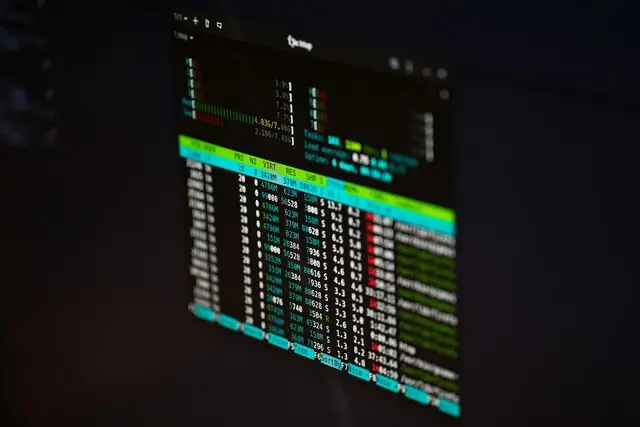
Photo: Terminal screen with htop

Why NetBSD?

For many years, I've been using (and appreciating) NetBSD because it's stable, efficient, and reliable. The codebase has proven its reliability, running without reboots for years without issues. It supports ZFS (though differently than FreeBSD), LVM (useful for those accustomed to it on Linux), the ability to take filesystem snapshots (UFS2, making ZFS less crucial), and it's an excellent virtualization platform. Installation and updates are easy (including via sysupgrade - which I'll cover in a future article). Since it focuses on portable and optimized code (running on ancient architectures requires cleanliness and correctness), it's particularly efficient on low-power devices, like embedded systems or cheap VMs. Therefore, it's one of the best solutions for a small personal setup that can still deliver excellent results and simple management.

Indeed, the market offers very cheap VPS, often with just a single core and little RAM. But a modern single core packs power that a multi-core from just a few years ago could only dream of, and often, the I/O of these machines (a bottleneck for many services) is still decent. I personally use 1 euro per month VPS (VAT included - for those not subject to it, that's less than one euro per month!) with a public IPv4 address and (often) a /64 IPv6 block, ensuring full reachability across the entire network. I'm not providing direct links as I have no affiliations, but netcup's "piko" VPS are among the types I use most often (a 4 euro/month netcup VM handles the entire FediMeteo project), and this type of VM is ideal for our purpose because some providers (like netcup) allow you to upload your own ISO and install your preferred operating system. On VPS like these, I've installed everything - including OmniOS and SmartOS - without problems. And even such a small VPS, with an efficient operating system, can be extremely satisfying.

Why BSSG?

In this article, I'll describe how to create and publish a blog using BSSG as it exemplifies my concept of portability and minimalism. BSSG on NetBSD currently doesn't leverage parallelism provided by tools like GNU Parallel, but for small to medium-sized blogs, this won't be an issue, especially considering these small VMs only have 1 core. Obviously, you can use any Static Site Generator (SSG) (like Hugo, Nikola, 11ty, Pelican, Zola, etc.) - the important thing is to have a static site served by a simple web server.

Let's Start with the Installation

Installing NetBSD is quite straightforward and is clearly covered, complete with explanatory screenshots, in the excellent official NetBSD documentation, which I recommend using as a reference during the process, especially if it's your first time.

In my case, I made sure to use the proposed disk geometry, use the standard automatic partitioning, but enable the "log" and "noatime" options for the filesystem. Both these options will provide a huge advantage in I/O operations, especially with BSSG, as the first enables journaling and the second prevents updating file metadata on every access. BSSG is more I/O bound than CPU bound, so any optimization is beneficial.

Moving forward, I also recommend configuring the network (although installation can be done from packages on the installation ISO). For netcup, you can use DHCPv4 (even though it's a bit slow and sometimes seems to fail, the DHCP client will continue running in the background and eventually work).

For IPv6, I usually configure it manually later, so I'll describe that further down.

I also recommend enabling SSH, adding a regular user (and adding them to the wheel group so they can gain root privileges) - in this case, I'll call the user blog. Also, enable the installation of binary packages, as it will be convenient later to use pkgin to install and update all necessary packages. All these steps are described clearly and in detail in the guide, so I won't detail them here. But they are simple and logical, like all operations on BSD systems.

After installation, reboot. If everything went correctly, you should be able to log in via console or SSH using the "blog" user (or whatever you named it).

First, I suggest configuring the IPv6 address and installing the necessary packages.

For IPv6, in the case of netcup, simply add one of the assigned addresses to the interface. In NetBSD, network interface configurations are stored (similar to OpenBSD) in specific files. For the first virtio interface, the file will be /etc/ifconfig.vioif0.

You need to elevate your privileges to root, open that file with your preferred editor, and add the configuration to the file itself:

nb1euro$ su -l
nb1euro# vi /etc/ifconfig.vioif0

inet6 your-ipv6-addr/64
up

To test everything, perform a reboot and try pinging an IPv6 address (I often use ping6 google.com).

If all goes well, after a few seconds, you should see ping replies, confirming everything is configured correctly.

Regarding packages, the only two strictly necessary ones are bash and a markdown processor (by default, BSSG will use commonmark; otherwise, it can be configured to use pandoc or Markdown.pl). rsync can be useful for deployment. sudo (or doas) can be useful for elevating privileges for certain operations, at least at this stage.

nb1euro$ su -l
nb1euro# pkgin in bash cmark rsync sudo

If you're used to Linux, you can also install the "nano" editor:

nb1euro# pkgin in nano

If sudo was installed, it's now appropriate to grant users in the "wheel" group (like the regular user created during installation) the ability to elevate privileges. Edit the sudoers file (I suggest using the visudo command) and uncomment this line:

## Uncomment to allow members of group wheel to execute any command
%wheel ALL=(ALL:ALL) ALL

At this point, you can switch back to operating as the regular user, downloading and unpacking BSSG:

nb1euro$ ftp https://brew.bsd.cafe/stefano/BSSG/archive/0.15.1.tar.gz
nb1euro$ tar zxfv 0.15.1.tar.gz

Now that BSSG is ready, just initialize a directory with the structure for the new site:

nb1euro$ cd bssg
nb1euro$ ./bssg.sh init /home/blog/myblog

Everything is set to start generating your blog. I recommend reading BSSG's README.md. There are many options, themes, etc., but to get started, you just need to set the site's public URL. For example, if the site will be published as myblog.example.com - just create a file at /home/blog/myblog/config.sh.local (the path defined by the init command) and set the public URL:

SITE_URL="https://myblog.example.com"

This way, all URLs will be absolute URLs, which is necessary to ensure the correct functioning of RSS feeds, sitemaps, etc. This setting assumes HTTPS - if you just want to test the site over HTTP, simply use http and then, optionally, change it to https and regenerate the site later.

You can already create your first test post, directly from the BSSG directory:

nb1euro$ ./bssg.sh post

The system will use nano if it's installed, otherwise it will use vi. Don't worry, in the latter case, BSSG will write the procedure for exiting vi as the post's text 🙂

Once you save the post, BSSG will automatically generate the site. If everything went well, the /home/blog/myblog/output directory will contain the final result. We are therefore ready for the first deployment, which can be done in many different ways. I will cover three:

  • Using bozohttpd, present by default in NetBSD's base system. It can be used via inetd (launching an httpd process for each connection) or as a daemon. I'll describe the first option, showing in the final benchmarks how, even when used as a daemon, it remains a less performant solution.

  • Using nginx

  • Using Caddy

First, it's advisable to obtain a certificate to configure and use HTTPS. If you only want to test using HTTP, this part can be safely bypassed. For solutions 1 and 2, I'll use certbot, which is well-known to many users with Linux experience. Caddy, on the other hand, manages certificates automatically, so there's no need for other solutions and thus no need to install certbot.

nb1euro$ sudo pkgin in py313-certbot

To use bozohttpd, no further installation is necessary. At this point, the options diverge.

Using NetBSD's Integrated httpd

bozohttpd is integrated into NetBSD and, by default, can be launched directly via inetd. This solution, while not extremely efficient or scalable, is simple and requires few resources. It's fine if you expect only a few visits per day, but when used via inetd, the initial latency for each connection is tangible. It can still be useful for some tests or small deployments.

The /etc/inetd.conf file already contains the options to handle this situation:

#http           stream  tcp     nowait:600      _httpd  /usr/libexec/httpd      httpd /var/www
#http           stream  tcp6    nowait:600      _httpd  /usr/libexec/httpd      httpd /var/www

By uncommenting these two lines and restarting inetd (service inetd restart), the server will start responding to HTTP requests on both IPv4 and IPv6.

If you want to add HTTPS support, no problem. Just request a certificate via certbot and specify the webroot.

Run:

nb1euro$ sudo certbot-3.13 certonly

Choose option 2 - the one where you specify the webroot - enter the domain, and when prompted, provide /var/www/ as the webroot.

The certificate will be created. Then, modify the /etc/inetd.conf file to also include support for HTTPS, adding two lines similar to these (obviously, change the certificate paths):

https            stream  tcp     nowait:600      _httpd  /usr/libexec/httpd      httpd -Z /usr/pkg/etc/letsencrypt/live/myblog.example.com/fullchain.pem /usr/pkg/etc/letsencrypt/live/myblog.example.com/privkey.pem /var/www
https            stream  tcp6    nowait:600      _httpd  /usr/libexec/httpd      httpd -Z /usr/pkg/etc/letsencrypt/live/myblog.example.com/fullchain.pem /usr/pkg/etc/letsencrypt/live/myblog.example.com/privkey.pem /var/www

Warning: httpd will run with the permissions of the _httpd user, so make sure all certificates are readable by that user:

nb1euro# chown -R _httpd /usr/pkg/etc/letsencrypt/

Restart inetd, and the server will also respond over HTTPS.

To make your blog public, simply copy the files from the site's output directory to /var/www/ - this time using sudo to bypass permission issues:

nb1euro$ sudo rsync -avhHPx /home/blog/myblog/output/ /var/www/

The site will be immediately visible.

Using nginx

Nginx is fast and efficient, and the performance difference is noticeable (some benchmarks follow below). For an efficient setup ready for a high number of visits, it's advisable to use a web server suited for the purpose, just like nginx.

First, install nginx and the certbot plugin for nginx. This will simplify the installation and renewal of certificates:

nb1euro$ sudo pkgin in py313-certbot-nginx nginx

Copy the startup script to /etc/rc.d - as indicated by the post-installation message. In NetBSD, this operation must be done manually, but it's always pointed out:

nb1euro$ sudo cp /usr/pkg/share/examples/rc.d/nginx /etc/rc.d

Warning: If you previously used httpd from inetd following the previous solution, you must disable it in inetd.conf and restart inetd to free up ports 80 and 443.

Now you can create a virtual host for our new site.

nb1euro$ sudo vi /usr/pkg/etc/nginx/nginx.conf

and add, at the end of the file and before the final closing curly brace:

server {
        listen 80;
        # If you also have configured IPv6 support
        listen [::]:80;

        root /var/www;
        index index.html index.htm;

        server_name myblog.example.com;

        # If you want a long cache for media and css - be careful, this means that if you change to a new theme, it might not be visible immediately as the browser might still use the old cached one
        location ~* \.(jpg|jpeg|png|gif|ico|css|js)$ {
            expires 30d;
            add_header Cache-Control "public, no-transform";
        }

        location / {
                try_files $uri $uri/ =404;
        }
}

Now, it's time to configure the system to enable nginx. Just edit /etc/rc.conf:

nb1euro$ sudo vi /etc/rc.conf

and add:

nginx=YES

Now, you can start nginx:

nb1euro$ sudo service nginx start

Nginx will start listening on port 80. Generating and installing the certificate is very simple:

nb1euro$ sudo certbot-3.13 --nginx -d myblog.example.com

This command will request the certificate and install it, so nginx will already be configured to use it.

As with the previous method, to make your blog public, simply copy the files from the site's output directory to /var/www/ - using sudo to bypass permission issues:

nb1euro$ sudo rsync -avhHPx /home/blog/myblog/output/ /var/www/

The site will be immediately visible.

Using Caddy

Caddy is a convenient and all-in-one solution, efficient and fast. It's packaged for NetBSD and allows you to go online in a flash. I won't delve into the configuration because there are many tutorials (including the official ones), but you just need to install it and run it:

nb1euro$ sudo pkgin in caddy

Once installed, go to the directory you want to serve (e.g., /var/www or directly /home/blog/myblog/output) and run:

nb1euro$ sudo caddy file-server --domain myblog.example.com

Caddy will start, request the certificate, and begin serving your blog over HTTPS as well. To install Caddy as a service (i.e., with a configuration file, etc.), you can proceed similarly to how it's done on Linux. The NetBSD Caddy package doesn't include the rc.d script, but you can copy and paste one (into /etc/rc.d/caddy) from a thread posted on UnitedBSD.

Performance Comparison

I performed some performance tests on these solutions. Here are the results, on a single-core 1 euro/month VPS, from my home connection (which also has its own limitations):

  • NetBSD httpd via inetd:
Running 10s test @ https://myblog.example.com/
  4 threads and 50 connections
  Thread Stats   Avg      Stdev     Max   +/- Stdev
    Latency   213.52ms  173.10ms   1.11s    76.01%
    Req/Sec    12.92      9.19    50.00     75.91%
  371 requests in 10.10s, 1.39MB read
Requests/sec:     36.72
Transfer/sec:    140.65KB

These numbers are quite poor, linked to high latency caused by having to launch bozohttpd for each incoming connection.

  • NetBSD httpd as a daemon:
Running 10s test @ https://myblog.example.com/
  4 threads and 50 connections
  Thread Stats   Avg      Stdev     Max   +/- Stdev
    Latency    35.74ms    6.96ms 108.80ms   81.36%
    Req/Sec    18.29      9.45    50.00     70.88%
  676 requests in 10.10s, 2.53MB read
Requests/sec:     66.92
Transfer/sec:    256.32KB

Here the situation is decidedly better, but not exceptional. httpd isn't designed for high loads or performance.

  • Nginx as a daemon, 1 worker:
Running 10s test @ https://myblog.example.com/
  4 threads and 50 connections
  Thread Stats   Avg      Stdev     Max   +/- Stdev
    Latency    30.69ms    4.87ms  64.14ms   66.01%
    Req/Sec   379.39     65.94   464.00     90.91%
  15026 requests in 10.04s, 56.50MB read
Requests/sec:   1496.65
Transfer/sec:      5.63MB

Here we are on another level, showing truly solid performance. This type of result can handle significantly high loads without particular difficulty. The efficiency of both NetBSD and nginx pays off.

  • Caddy:
Running 10s test @ https://myblog.example.net/
  4 threads and 50 connections
  Thread Stats   Avg      Stdev     Max   +/- Stdev
    Latency    32.10ms    5.75ms  95.04ms   87.44%
    Req/Sec   362.74     64.29   434.00     91.67%
  14374 requests in 10.05s, 54.63MB read
Requests/sec:   1430.82
Transfer/sec:      5.44MB

Caddy shows results comparable to nginx, so the choice between them depends solely on the type of configuration you want to achieve and the experience each person has with the specific platforms.

Conclusion: Efficient Minimalism

We've seen how it's possible to create a personal, professional, and performant online presence with minimal investment. This solution, based on NetBSD and a 1€/month VPS, offers several advantages:

  • Negligible Cost: For 12€ per year, you can have a website (and more!) completely under your control.
  • Surprising Performance: As demonstrated by the benchmarks, excellent performance can be achieved even with limited resources (up to 1400-1500 requests/second with nginx or Caddy).
  • Security and Stability: NetBSD is renowned for its reliability and security, fundamental characteristics for any online service.
  • Total Control: Unlike free blogging platforms, you have full control over every aspect of your site.
  • Learning Experience: Managing a BSD system allows you to acquire valuable system administration skills.

This minimalist configuration demonstrates that you don't need to invest in expensive cloud solutions or oversized VPS to have a quality online presence. In an era where the tendency is to think "moooar powaaaar = better results", NetBSD reminds us that efficiency and good design can yield excellent results even with limited resources.

After all, you don't need a thousand-node cloud to write something worth reading.

In the upcoming articles in this series, we will explore how to expand this basic installation with other useful services and how to keep the system updated and secure over time.

Launching BSSG - My Journey from Dynamic CMS to Bash Static Site Generator

Photo by Patrick Fore on Unsplash

I've had my own website practically forever. Back in the late '90s, I already had a web page on my ISP's server, and since at least 2001, I've had my own homepage on my own server. I've never been a great graphic designer, let alone a skilled webmaster, so I've always tried to keep things minimal and compatible.

Initially, like many others, I wrote HTML pages by hand. Then I used WYSIWYG creation tools, and eventually, I landed on CMS (Content Management Systems).

The Era of Dynamic CMS

I liked CMS because they allowed me to focus on the content and not on the correctness of the generated HTML. Thanks to them, I started writing my first blog shortly afterward.

Over the years, I've used many tools like PHPNuke, FlatNuke (created and developed by my friend Simone Vellei), eventually moving through Joomla and Wordpress. Wordpress always seemed like the most suitable tool for the job, and I used it for many years. Even today, mainly on the sysadmin side, I manage hundreds of Wordpress sites, and they are reasonably reliable, aside from the plugins (because the problem with Wordpress isn't the software itself, but many of the external plugins).

But this is precisely the problem: all dynamic CMS require constant and continuous security updates because, without them, the chances of defacement are extremely high.

Discovering Static Site Generators

And that's precisely why, when I discovered Carlos Fenollosa's bashblog in 2014, it immediately became clear that, indeed, there was no reason to continue down the path of dynamic CMS. I don't write often, I don't update often, there's no reason to regenerate all the content with every visit. Sure, WordPress caching plugins are often quite effective, but they are still add-ons that need to be kept up to date. And I'm not a fan of adding things to streamline. Often, less is more.

So, I started using bashblog for some 'secondary' projects until, in 2015, I migrated my 'old' Italian blog from WordPress to Pelican. Shortly after, I moved from Pelican to Nikola, and that blog is still generated by Nikola, although (that blog's) updates are now extremely rare (so much so that I consider it almost abandoned). I also created the first Docker container for Nikola and, for a long time, it was listed among the deployment methods on their site.

Building My Own: BSSG

But bashblog continued to fascinate me. So in 2015, for fun, I started developing my own Static Site Generator from scratch. I called it (with little imagination), BSSG - Bash Static Site Generator. The plan was for it to be compatible with the main OSes I use, to remain sufficiently simple and straightforward (!!!), and to be tailored to my needs. I intended to use it only and exclusively for small private things, starting with a sort of diary of mine - more professional than personal - and leave the 'official' blogs to more tested and 'professional' tools.

As time went by, I added some small features I liked: theming support, archives, tags (initially absent). Over time, many functions were added, and the script grew large – large enough to make me pause and ask myself some questions about the long-term stability of this solution. So, it remained only for my 'diary', which, however, grew year after year to the point where I needed to devise some kind of optimization. I then developed (more for fun than out of real necessity) a caching system. On rebuild, only what needs to be rebuilt is reconstructed, making the operation sufficiently fast even as the number of posts grows. Obviously, there are limits: using bash and external tools, the efficiency cannot be compared to that of a proper programming language.

Brief Detour: ITNBlog

And it's here that I decided, in preparation for opening a new blog (this one), to create a new tool called ITNBlog. I would develop it in Python and focus a bit more on performance and completeness. But ITNBlog stalled very quickly: time was limited, I'm not a full-time developer, so I realized I would spend too much time on development and too little on content creation.

Therefore, in 2018, I launched this blog but using Ghost, a solution that gave me good results, including performance-wise. I chose Ghost because I thought that, writing content also from my phone while on the go, a real CMS would be useful. Spoiler: no, it didn't turn out that way, so a few years later I decided to migrate this blog to Hugo. Nevertheless, I continued to develop ITNBlog on and off, as a hobby, without any particular ambitions.

At some point, however, I found myself in a particular situation: Hugo deprecated some features, and the theme I had chosen moved forward. But I ended up in an unpleasant situation: using the latest version of Hugo and the current version of the theme would produce unacceptable output; staying with the old version of Hugo while waiting for the theme update meant making a compromise. I actually build the blog from different devices, and they all have different versions of Hugo installed. Change the theme? Feasible, but I would have had to modify almost the entire site.

I considered migrating to manpageblog by gyptazy – I personally love its simplicity and retro look, and it was the main candidate to replace Hugo. I also created a script and migrated all my posts into the correct format.

BSSG to the Rescue (and ITNBlog's Role)

That's when I realized: I would implement the few missing features needed to make ITNBlog sufficiently complete, and this blog would be published using it, ensuring I'd be committed to its development. However, ITNBlog is not mature enough to be released publicly, so for now, it will remain the engine just for my blog. Then I thought again about BSSG – development had stalled some time ago, but it was still in use – and figured that perhaps, with a little tidying up, I could release it.

Because I'm tired of seeing people use dynamic CMS even to implement primarily static blogs or websites – and BSSG, despite its limitations and inefficiencies, works. And there are many themes to choose from. In short, you can install it and generate your blog in seconds.

Why Choose BSSG?

BSSG is the result of a 10-year evolution. The code isn't extremely consistent, some interesting features are missing (which I plan to implement), and it could use refactoring as the build script is monstrously large. But it works, it's portable (and much of the complexity increased precisely because of portability), and it generates sites that achieve very high accessibility and speed scores.

Here are some highlights:

  • Portability: Uses native OS tools (e.g., md5sum on Linux, md5 on OpenBSD and NetBSD). Portability itself added much of the complexity!
  • Simple Theming: Themes are just simple CSS files, so the structure remains the same – simplifying theme switching or creating new ones. More than 50 themes are already available!
  • Essential Features: Supports RSS feed generation, sitemap.xml, OpenGraph tags (to improve social sharing), internationalization (the blog can be in languages other than English – but not multilingual, at least for now), etc.
  • Built-in Backup and Restore script: It will just copy the configuration file, posts, and pages. Nothing else.
  • Minimal Dependencies.
  • Markdown Support: Posts and pages are in Markdown (CommonMark, Pandoc, and markdown.pl are supported).
  • Feature Images.
  • Optional GNU Parallel Integration: To speed up build times when there are many posts. This feature significantly impacts the code and has caused me numerous headaches over time. But it's optional (if parallel isn't found, it proceeds traditionally) and only provides benefits when the number of posts increases: with few posts, performance actually degrades.
  • High Accessibility and Performance Scores: Sites built with BSSG achieve excellent scores.
  • BSD Licensed: Released under a BSD license.

One of the problems I've always had with all CMS and SSGs has been choosing a theme. In some cases (like Hugo), the theme heavily influences the output, which is both good and bad. Good because it makes each site unique, but bad because it makes switching themes difficult. In the past, I've sometimes found myself having to change themes because they were abandoned and no longer updated. BSSG works differently: theming comes from using a different CSS file, which makes its structure more rigid, but switching from one theme to another is trivial. To help with the choice, I created a script that will build your site using all the themes present in the themes directory, just like on the examples page of the official website. This way, it will be easy to see and test your site with all available themes. If you want to add a touch of originality, you can choose the 'random' theme, and one will be chosen randomly from the list at each site regeneration.

Admin Interface (Experimental)

BSSG is in production use by some clients (for their internal sites), for whom I also created a basic admin interface (using Node Express, partly to chew on a bit of Node), but I don't feel ready to release it immediately as it's not sufficiently tested. It has an integrated Markdown editor and allows post scheduling, generating the files and launching BSSG with the right options at the right time. This could be that connecting link between traditional CMS and SSGs. There are others, but this one is tightly integrated with BSSG.

BSSG is Available Today

Starting today, BSSG is publicly available. It's not perfect, it probably doesn't make sense to do something of this complexity in bash, development will proceed slowly – but it's here, available to anyone who might find it useful.

Happy blogging everyone!

❌